

VMware Cloud Foundation · VKS · NVIDIA AI Enterprise · vGPU · Private AI
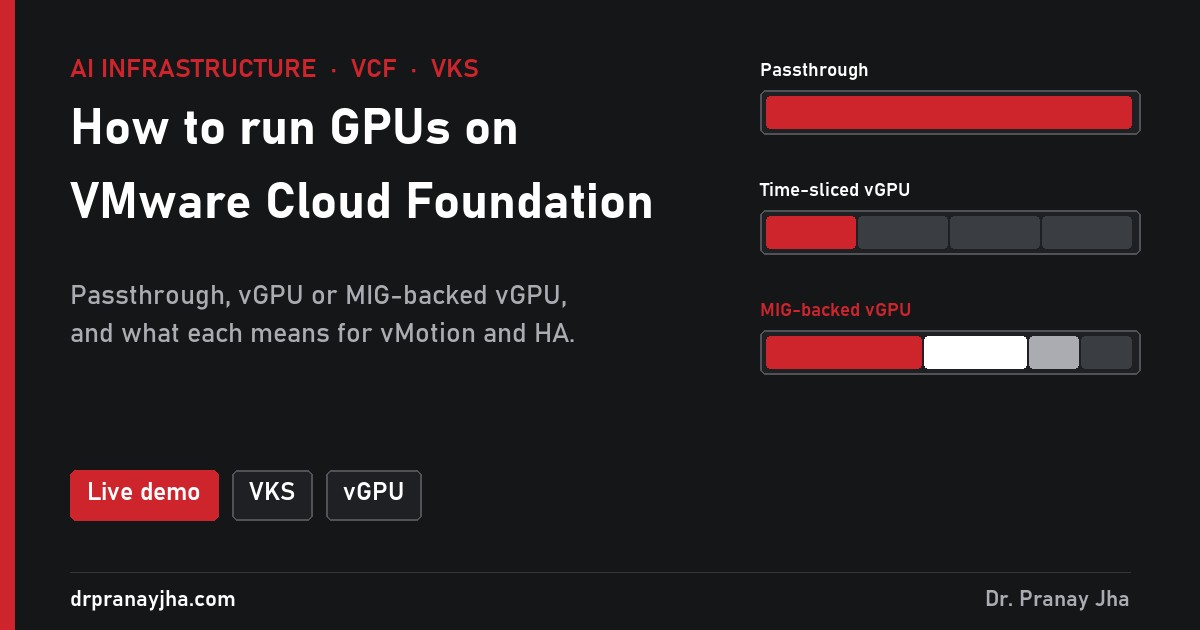
Everything in this series so far assumed Kubernetes on bare-metal GPU servers. Many enterprises will run their GPUs on VMware Cloud Foundation instead, with VKS clusters, Deep Learning VMs and inference VMs side by side. That adds one decision that comes before all the others: how each GPU is handed to a VM. Passthrough, time-sliced vGPU or MIG-backed vGPU decide your density, whether vMotion works, and what happens when a host fails. The live demo puts the same nine workloads on two ESX hosts all three ways.
Two ESX hosts, eight H100s, nine GPU workloads. Switch between passthrough, time-sliced vGPU and MIG-backed vGPU, then put a host in maintenance mode or fail one.
The layersWhere the GPU sits in VCF
Two drivers, not one: the vGPU manager on the ESX host, and a matching guest driver inside each VM or VKS node. In VKS clusters the GPU Operator installs the guest side, so parts 1 to 9 of this series apply from there up.
The choiceThree ways to give a VM a GPU
DirectPath I/O hands one whole physical GPU to one VM. Full bare-metal speed and no licence beyond the GPU driver. But the VM is pinned to its host: no vMotion, and HA can only restart it where an identical GPU is free.
NVIDIA vGPU splits a GPU’s memory into fixed profiles such as H100-20C. VMs take turns on the compute, like time-slicing in Kubernetes. Supports vMotion and HA. Traditionally all VMs on one GPU use the same profile size.
The GPU is first cut into MIG slices in hardware, then each slice is given to a VM as a profile such as H100-3-40C. Hard isolation of compute, memory and cache, and mixed sizes on one card.
The testsSame nine workloads, three outcomes
Four 40 GB VKS GPU workers, two 20 GB inference VMs and three 10 GB Deep Learning VMs, on two hosts with four H100s each. From the demo:
| Passthrough | Time-sliced vGPU | MIG-backed vGPU | |
|---|---|---|---|
| VMs per GPU | 1 | Several, one profile size | Up to 7, mixed sizes |
| Compute isolation | Whole GPU | Takes turns | Hardware |
| vMotion | No | Yes | Depends on version |
| HA restart | Needs a free identical GPU | Yes, if a profile fits | Yes, if a slice fits |
| Licence | GPU driver | NVIDIA AI Enterprise | NVIDIA AI Enterprise |
| Best for | Big training VMs | Dev, notebooks, mixed inference | Multi-tenant, steady latency |
The setupFrom ESX host to GPU pod
Prepare the hosts
Add the NVIDIA AI Enterprise vGPU host driver to the cluster’s vLCM image so every host gets the same version. In vCenter, set the host graphics type to Shared Direct for vGPU. For MIG-backed vGPU, turn MIG on for each GPU first:
# on the ESX host, per GPU, then reset the GPU or reboot
nvidia-smi -i 0 -mig 1
Create VM classes with a vGPU
In Workload Management → VM Classes, create a class such as
gpu-h100-40cand add a PCI device: NVIDIA vGPU with the profile you want. Assign the class to the vSphere namespaces that may use GPUs.Ask for the class in the VKS cluster
apiVersion: run.tanzu.vmware.com/v1alpha3
kind: TanzuKubernetesCluster
metadata:
  name: ai-cluster
  namespace: ai-team
spec:
  topology:
    nodePools:
    - name: gpu-workers
      replicas: 4
      vmClass: gpu-h100-40c
      storageClass: vsan-default-storage-policy
Newer VKS releases use the Cluster API
Clusterobject with a node pool variable for the VM class; the idea is the same.Install the GPU Operator inside the cluster
Use the vGPU guest driver image from NVIDIA’s registry and give it your NVIDIA licence client token in a ConfigMap. From here, monitoring, logging, sharing and scheduling work exactly as in parts 1 to 9.
What Private AI Foundation with NVIDIA adds
Ready VMs with drivers, CUDA and frameworks, deployable from a catalog by data scientists.
Catalog items in VCF Automation that create GPU VKS clusters with the right VM classes.
Harbor as a private registry for models as well as images, so teams pull approved models.
GPU use per host and per VM next to everything else, the VCF view of part 1.
- Every host in a GPU cluster runs the same vGPU host driver from the vLCM image.
- You chose a GPU mode per cluster on purpose, and labelled passthrough hosts.
- HA admission control reserves enough GPU capacity to restart the VMs that matter.
- You have measured vMotion pause times for your largest vGPU profiles.
- VM classes with GPUs are only assigned to namespaces that should have them.
- The guest driver version inside VKS clusters matches the host driver’s supported range.
Open VCF GPU Lab, put esx-01 into maintenance mode in passthrough, then switch to time-sliced vGPU and do it again.
Support for vMotion, HA and mixed profiles depends on your NVIDIA vGPU and VCF versions; check the NVIDIA AI Enterprise and Broadcom compatibility documents for your releases. The series so far: monitoring, logging, node lifecycle, sharing, scheduling, cost, autoscaling, networking, storage and this post. Next: the GPU platform readiness checklist.
About The Author




 DrJha
DrJha