

AI infrastructure · Kubernetes · InfiniBand · RoCE · NCCL
One 8-GPU server can train a lot, but not everything. Once a job spans several servers, the network between them decides how fast it runs. After every training step, every GPU swaps its gradients with every other GPU, and nobody starts the next step until that is done. This post explains why one slow cable slows the whole job, how InfiniBand, RoCE and plain Ethernet compare, and how to set it up and prove it on Kubernetes. The live demo lets you break each part.
Run a training job over TCP, RoCE or InfiniBand on 1 to 16 nodes. Then halve one cable, slow one node or switch off GPUDirect RDMA, and see the commands that would find each fault.
The ruleThe slowest link sets the pace for everyone
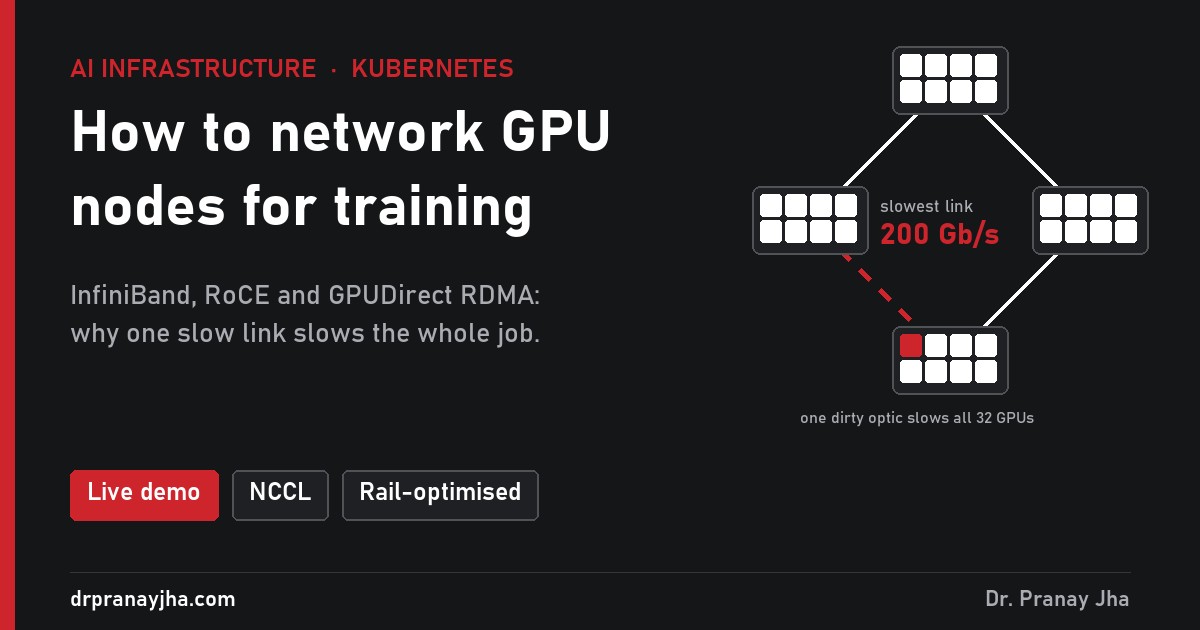
The usual way GPUs share gradients is a ring all-reduce, run by NVIDIA’s NCCL library. Each node passes a slice of data to the next node, round and round, until every GPU has the sum. Inside a node the data moves over NVLink at hundreds of GB/s. Between nodes it moves over the network, and the ring can only go as fast as its slowest hop.
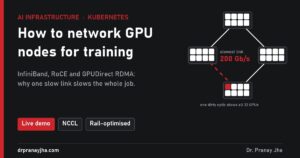
Three links at 400 Gb/s and one at 200 Gb/s give you a 200 Gb/s ring. No error is raised; the job just runs slower.
What that costs
From the demo, a 70B model training job. Step time in seconds, lower is better:
Over plain TCP the same 16-node job takes about 70 seconds a step, 3% efficiency, which is why nobody trains across nodes without RDMA.
The choicesThree kinds of network
The normal data centre network. Data goes through the CPU and the kernel network stack. Fine for inference and for storage, far too slow for gradients between nodes.
RDMA over Ethernet you already know how to run. Needs a “lossless” setup: PFC and ECN configured the same way on every NIC and switch. Get one hop wrong and performance collapses.
Lossless by design, with its own subnet manager and very low latency. The usual choice for large training clusters. A separate network with its own skills and tools.
Rail-optimised: one switch per GPU position
Big GPU clusters wire every GPU 0 to one leaf switch, every GPU 1 to the next, and so on. Each set is called a rail. Traffic between the same GPU on different nodes stays on one switch, one hop away.
GPU 0 of every node (red) shares one switch. Rails 1 to 7 are wired the same way; only rails 0 and 1 are drawn.
GPUDirect RDMA: let the NIC read GPU memory
It needs the nvidia-peermem kernel module and NICs on the same PCIe switch as their GPUs. When it silently fails to load, NCCL quietly falls back to the slower path.
On KubernetesThe pieces you need
Installs the NIC drivers and the device plugin that exposes RDMA devices to pods, the network equivalent of the GPU Operator.
Multus gives each training pod an extra interface on the RDMA network, next to its normal Kubernetes network.
Loads nvidia-peermem for GPUDirect RDMA, for example with driver.rdma.enabled=true.
All workers start together, using the MPI Operator, a JobSet or a PyTorchJob, queued by Kueue from part 5.
# a training pod that can use RDMA
metadata:
  annotations:
    k8s.v1.cni.cncf.io/networks: rdma-net
spec:
  containers:
  - name: trainer
    resources:
      limits:
        nvidia.com/gpu: 8
        rdma/rdma_shared_device_a: 1
    securityContext:
      capabilities:
        add: ["IPC_LOCK"]
    env:
    - name: NCCL_DEBUG
      value: INFO               # prints which transport NCCL picked
Prove itTest before you trust it
Read the NCCL log
With
NCCL_DEBUG=INFOthe first lines say which network it chose. You wantNET/IBand “GPU Direct RDMA Enabled”.NET/Socketmeans it fell back to TCP.Run nccl-tests across every node
# one rank per GPU across all nodes, launched with MPI
all_reduce_perf -b 1G -e 8G -f 2 -g 1
Record the bus bandwidth (busbw). Then test node pairs: a pair well below the rest points at a cable, NIC or switch port.
Check the suspect link
ibstat                 # is every port at full rate?
perfquery -x           # symbol errors, link downs on the port
ethtool -S eth2 | grep -E "pause|discard"   # RoCE: pause frames and drops
Rule out a slow GPU
If every link tests fine but the job is slow, look for one throttled GPU with the clock metric from part 1. In the demo, one slow GPU cost as much as a bad cable.
- Multi-node training runs on RDMA, InfiniBand or RoCE, never plain TCP.
- NCCL logs show NET/IB and GPU Direct RDMA enabled on every node.
- You have a baseline nccl-tests result for every node pair.
- On RoCE, PFC and ECN settings are checked on every NIC and switch hop.
- Link speed and error counters are in your monitoring, not checked by hand.
- New and repaired nodes run nccl-tests before they rejoin the pool, as in part 3.
Open GPU Fabric Lab, set 16 nodes on InfiniBand, then halve one cable. Watch the step time and read the commands that would find it.
The series so far: monitoring, logging, node lifecycle, sharing, scheduling, cost, autoscaling and this post on networking. Next: storage and checkpoints.
About The Author



 DrJha
DrJha