

AI infrastructure · Kubernetes · Fluent Bit · Loki · Observability
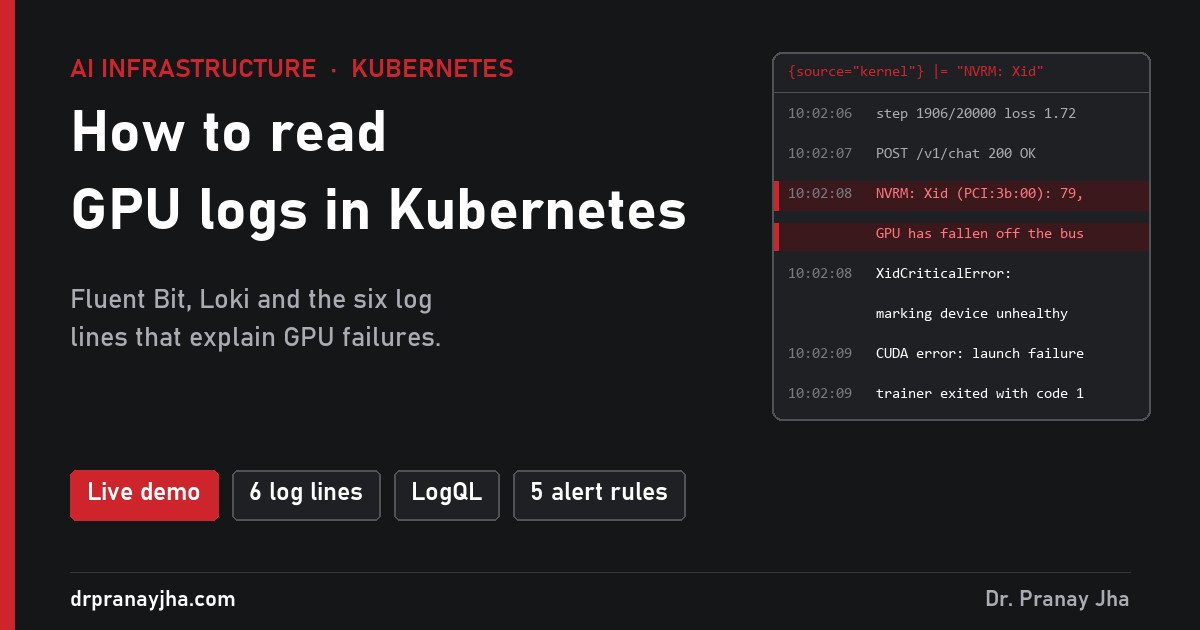
In How to monitor GPUs in Kubernetes I covered metrics: the numbers that tell you a GPU is hot, idle or broken. Metrics tell you that something went wrong. Logs tell you why. This post covers where GPU logs live on a Kubernetes node, how to collect them, and the six log lines that explain most GPU failures. There is a live demo where you can break a cluster and find each line yourself.
A simulated GPU cluster writing real-looking logs. Run LogQL queries, trigger an Xid error, an out-of-memory crash or an NCCL timeout, and find the line that explains it. Nothing to install.
Why logsWhat a metric shows, and what the log says
Here are the same four failures from the monitoring post. On the left is what your dashboard shows. On the right is the log line that tells you what to do.
DCGM_FI_DEV_XID_ERRORS = 79, then the GPU stops reportingThe metric tells you where to look. The log tells you whether it is your code, your configuration or the hardware, and that decides who gets the ticket.
The sourcesWhere logs live on a GPU node
The common mistake is to think kubectl logs shows everything. It only shows what a container wrote to its output, and it disappears when the pod is deleted. The most important GPU errors never reach a container at all.
The NVIDIA driver writes here. Xid errors, PCIe errors, NVLink faults and driver version problems all show up here first.
Not in kubectl logs dmesg · journalctl -kYour training script, vLLM, and the GPU Operator’s own pods: the device plugin and the DCGM exporter. CUDA, NCCL and PyTorch errors land here.
In kubectl logs, until the pod is gone /var/log/containers/*.logWhy a container restarted, failed its health check or is in CrashLoopBackOff. Also image pulls and volume mounts.
Not in kubectl logs journalctl -u kubeletScheduling decisions such as Insufficient nvidia.com/gpu, evictions and OOM kills. Kept for one hour by default.
The pipelineHow the logs leave the node
The common open-source setup is Fluent Bit on every node, sending to Loki, with Grafana for searching. Fluent Bit reads the files and the system journal, adds Kubernetes labels, and ships the lines. Loki stores them cheaply because it only indexes the labels, not the text.
Fluent Bit runs once per node, like the DCGM exporter. Grafana Alloy is the other common choice for the node agent. Promtail, which many older guides use, has been deprecated in favour of Alloy.
Labels or content: the one decision that matters in Loki
Loki groups lines into streams, one per unique set of labels. A few hundred streams is fast and cheap. Millions of streams make Loki slow and expensive. So keep labels to things with a small, fixed set of values, and leave everything else in the line, where you can still search it.
Small number of values. You filter by it in almost every query.
A new value for every request or step. Search it with a filter like |= "cmpl-8f2a".
The linesSix log lines worth knowing by heart
Each of these is a scenario in the demo. The red part is what you search for.
python multiline parser so a traceback arrives as one entry.Five LogQL queries to start with
LogQL is Loki’s query language. A query is a label selector in braces, then optional filters. Paste any of these into the demo.
# Every Xid error on any node
{source="kernel"} |= "NVRM: Xid"

# Errors from one training job, ignoring progress lines
{namespace="ml-train"} |~ "Error|out of memory|timeout"

# vLLM without the access log noise
{namespace="serving"} != "POST /v1"

# Anything wrong with the GPU Operator itself
{namespace="gpu-operator"} |~ "Failed|Error|unhealthy"

# Count Xid lines per node over 5 minutes (this one can become an alert)
sum by (node) (count_over_time({source="kernel"} |= "NVRM: Xid" [5m]))
The setupBuild it on your own cluster
This is a lab starting point: one Loki instance on local disk and Fluent Bit on every node. For production, Loki should store data in object storage such as S3. Check the values against the chart versions you install, as both charts change often.
-
Install Loki in single-binary mode
Save this as
loki-values.yaml. It runs one Loki pod with local storage and turns off the caches you do not need in a lab.deploymentMode: SingleBinary loki: auth_enabled: false commonConfig: replication_factor: 1 storage: type: filesystem schemaConfig: configs: - from: "2024-01-01" store: tsdb object_store: filesystem schema: v13 index: prefix: loki_index_ period: 24h singleBinary: replicas: 1 read: replicas: 0 write: replicas: 0 backend: replicas: 0 chunksCache: enabled: false resultsCache: enabled: falsehelm repo add grafana https://grafana.github.io/helm-charts helm repo update helm install loki grafana/loki -n logging --create-namespace -f loki-values.yaml -
Install Fluent Bit with GPU-friendly inputs
Container logs come from files. Kernel and kubelet logs come from the system journal. The
kubernetesfilter adds the pod labels.env: - name: NODE_NAME valueFrom: fieldRef: fieldPath: spec.nodeName config: inputs: | [INPUT] Name tail Tag kube.* Path /var/log/containers/*.log multiline.parser cri Mem_Buf_Limit 50MB [INPUT] Name systemd Tag host.kernel Systemd_Filter _TRANSPORT=kernel Read_From_Tail On [INPUT] Name systemd Tag host.kubelet Systemd_Filter _SYSTEMD_UNIT=kubelet.service Read_From_Tail On filters: | [FILTER] Name kubernetes Match kube.* Merge_Log On [FILTER] Name multiline Match kube.* multiline.key_content log multiline.parser python outputs: | [OUTPUT] Name loki Match kube.* Host loki-gateway.logging.svc.cluster.local Port 80 Labels source=container, node=${NODE_NAME}, namespace=$kubernetes['namespace_name'], pod=$kubernetes['pod_name'], container=$kubernetes['container_name'] [OUTPUT] Name loki Match host.kernel Host loki-gateway.logging.svc.cluster.local Port 80 Labels source=kernel, node=${NODE_NAME} [OUTPUT] Name loki Match host.kubelet Host loki-gateway.logging.svc.cluster.local Port 80 Labels source=kubelet, node=${NODE_NAME}helm repo add fluent https://fluent.github.io/helm-charts helm install fluent-bit fluent/fluent-bit -n logging -f fluent-bit-values.yamlJournal records arrive as JSON with the text in a
MESSAGEfield. In Grafana, add| json | line_format "{{.MESSAGE}}"to a query to show just the text. -
Add Loki to Grafana
In Grafana, go to Connections → Data sources → Add → Loki and use
http://loki-gateway.logging.svc.cluster.local. Open Explore, pick Loki and run{source="kernel"}. You should see each node’s kernel messages. -
Turn the important lines into alerts
The easiest route is a Grafana alert rule with Loki as the data source: Alerting → Alert rules → New, paste the query, set the threshold to above 0. These are the five rules the demo uses:
# critical: hardware sum by (node) (count_over_time({source="kernel"} |= "NVRM: Xid" [5m])) > 0 # critical: job killed sum by (pod) (count_over_time({namespace="ml-train"} |= "Watchdog caught collective operation timeout" [10m])) > 0 # critical: node has no working GPU tools sum by (node) (count_over_time({namespace="gpu-operator"} |= "Failed to initialize NVML" [5m])) > 0 # warning: job crashed on memory sum by (pod) (count_over_time({namespace="ml-train"} |= "CUDA out of memory" [10m])) > 0 # warning: inference is slowing down sum(rate({namespace="serving"} |= "is preempted by" [1m])) > 0.1 -
Set how long to keep logs
Logs grow fast. Set a retention period in Loki’s
limits_configand enable retention in its compactor. Thirty days covers most investigations. Inference access logs are usually the biggest source: if you do not need one line per request, vLLM can turn them off with--disable-uvicorn-access-log.
- Every GPU node runs a Fluent Bit pod.
{source="kernel"}returns lines from every GPU node, not just one.- A Python traceback shows up as one entry, not ten.
- No label holds request IDs, trace IDs or other one-off values.
- The Xid and NVML alerts go to a person, not just a channel.
- You can still read yesterday’s kernel log for a node that was rebooted today.
Open GPU Log Watch, trigger a failure and see if you can find the log line before you click the alert. Then try the same failure as metrics in GPU Cluster Watch.
Related on this site: How to monitor GPUs in Kubernetes and the AI Infrastructure Lab Workbook (section F covers Prometheus and Loki hands-on).
About The Author




 DrJha
DrJha