

AI infrastructure · Kubernetes · Storage · Checkpoints · Model loading
GPUs get the attention, but storage quietly decides how much of their time is wasted. Training jobs save huge checkpoints and crash more often than anyone expects. Inference replicas have to load the model before they can answer anyone. This post works out how big a checkpoint is, how often to save it, which storage keeps up, and how long a model takes to load. The live calculator does the maths for your own model and cluster.
Pick a model, a cluster size and a storage system. See the checkpoint size, how long each save stops the GPUs, the best save interval, and how long the model takes to load for inference.
The sizeA checkpoint is much bigger than the model
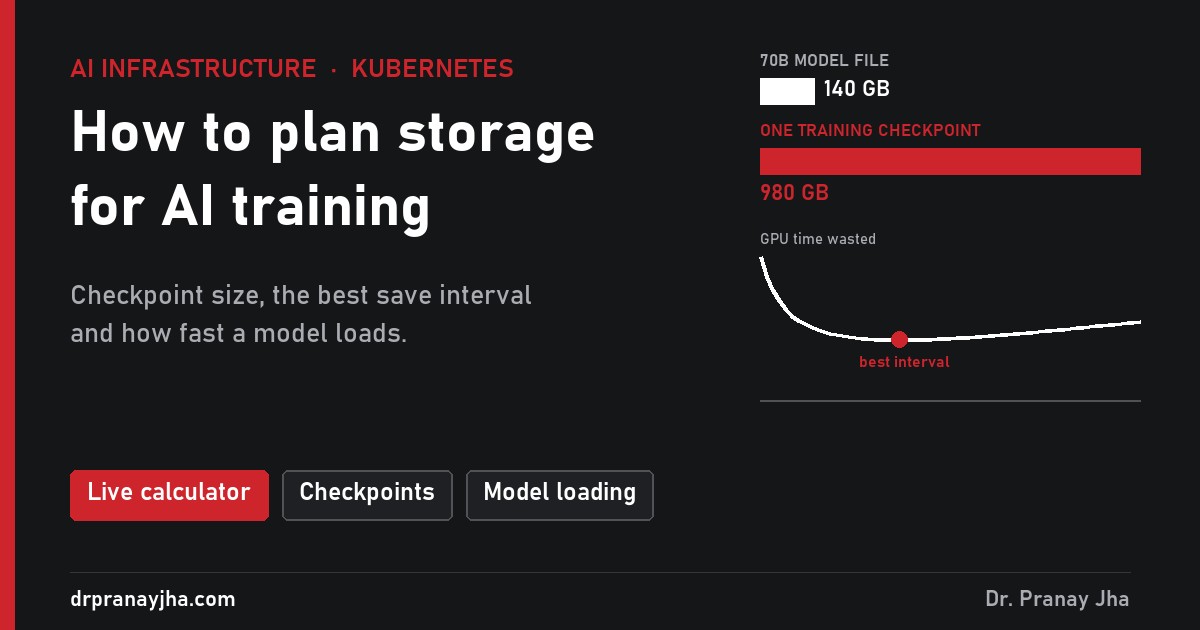
The model you download is just its weights: 2 bytes per parameter at 16-bit. A training checkpoint also holds everything needed to resume exactly where you stopped. With the common mixed-precision setup and the Adam optimizer, that is about 14 bytes per parameter:
The reasonLarge training jobs crash, a lot
Unexpected interruptions in 54 days while Meta trained Llama 3 on up to 16,000 H100 GPUs, about eight a day. Roughly 78% were hardware. Scaled down, a 1,024-GPU job can expect a crash about every two days.
Every crash throws away the work done since the last checkpoint, plus the time to restart and reload. So you want to save often. But while a checkpoint is being written, a simple training loop stops and waits, and every GPU in the job sits idle. So you also want to save rarely.
The best interval sits in the middle
A handy rule (Young’s formula): best interval ≈ √(2 × time per save × time between crashes). Slow storage means a long save, which pushes the interval out and makes every crash more expensive.
The storageFour places to put checkpoints
From the calculator: a 70B model on 1,024 GPUs, saving every hour. Each card shows how long one save takes and how much GPU time is wasted in total.
One shared NAS. Simple and familiar, but a 1 TB checkpoint takes over 8 minutes while 1,024 GPUs wait.
Cheap and huge. Good throughput with many parallel writers, slower for a single reader.
Lustre, Weka, IBM Storage Scale and similar. Built for thousands of clients writing at once.
Each node writes its own share to local disks, then uploads to object storage in the background. Fast, but lost if the node dies before the upload.
async_save for this. In the calculator, the same NFS filer drops from 15.2% to 2.2% waste.InferenceHow long a model takes to load
For inference only the 16-bit weights are needed: 140 GB for a 70B model. A single node cannot use a whole storage system’s bandwidth, so load times depend on what one node can read:
This is the “load weights” part of the cold start from the autoscaling post. Keeping a copy of popular models on each GPU node’s local disk is usually the simplest big win.
On KubernetesPutting it together
Shared storage for checkpoints
Training pods on different nodes write to one place, so you need a
ReadWriteManyvolume from a CSI driver for your parallel file system or NFS, or the object storage SDK directly.apiVersion: v1 kind: PersistentVolumeClaim metadata: name: checkpoints namespace: research spec: accessModes: ["ReadWriteMany"] storageClassName: parallel-fs # from your storage vendor's CSI driver resources: requests: storage: 50TiLocal NVMe for speed
Expose each node’s NVMe disks as local volumes, for example with a local volume provisioner, and use them for the fast first write and for model caches.
A model cache on every GPU node
Download popular models once per node instead of once per pod, and mount the cache read-only into inference pods. An init container can fill it the first time.
Keep only what you need
A 70B job saving every hour writes almost 24 TB a day. Keep the last few checkpoints plus milestones, and delete the rest automatically.
- You know your checkpoint size and how long one save takes on your storage.
- The save interval is based on your crash rate, not a round number.
- Training saves asynchronously, or storage is fast enough that it does not matter.
- You have tested restoring from a checkpoint, not just writing one.
- Old checkpoints are cleaned up automatically.
- Inference nodes keep a local cache of the models they serve.
Open GPU Checkpoint Lab, pick your model and cluster size, and drag the interval until you find the lowest point on the curve.
Failure numbers are from Meta’s paper “The Llama 3 Herd of Models” (2024). Storage speeds are typical figures, not measurements of any product. The series so far: monitoring, logging, node lifecycle, sharing, scheduling, cost, autoscaling, networking and this post on storage. Next: GPUs on VMware Cloud Foundation.
About The Author







 DrJha
DrJha