

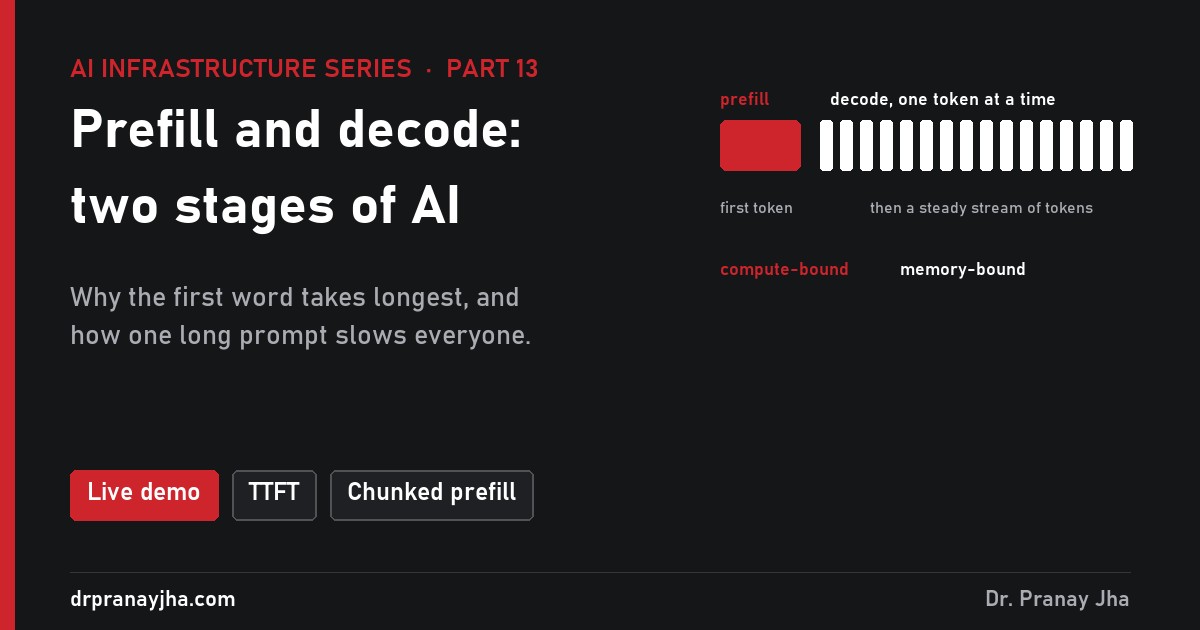
AI Infrastructure series · Part 13 of 24
When you send a question to a chatbot, there is a pause, and then the words stream out at a steady pace. Those are two different jobs running on the same GPU. Prefill reads your whole prompt in one pass; decode writes the answer one token at a time. They stress the hardware in opposite ways: prefill runs out of calculation speed, decode runs out of memory speed. Most serving tricks exist to handle one stage or the other better. This part works through both with real numbers for Llama 3.1 8B on an H100.
Time one request with chatbot, RAG and coding-agent presets, watch one user’s long prompt stall everyone else with and without chunked prefill, move prefill and decode on a roofline as the batch grows, and see what prefix caching and speculative decoding save.
What are prefill and decode?
All the prompt’s tokens go through every layer of the model together, in one pass. The model builds the KV cache for the whole prompt and produces the first token of the answer. Lots of tokens per pass means lots of maths for each weight read: it is compute-bound.
One new token per step goes through every layer, reading all the weights and the KV cache to produce the next token. Little maths per weight read: it is memory-bound, limited by bandwidth as part 4 showed.
The same layers do both jobs; the difference is how many tokens go through at once. A model can only produce token number 301 after it has produced token 300, because each new token depends on all the ones before it (part 9). So decode cannot be parallelised across the answer: it is a loop. The prompt is different. Every prompt token is already known, so the model can process all of them side by side in one big pass.
What happens to one request, step by step?
Tokenise and queue. The server turns the prompt text into token IDs (about 0.75 words per token in English) and puts the request in the scheduler’s waiting queue. Any wait here counts towards time to first token.
Prefill, layer by layer. The scheduler admits the request. All 2,000 prompt tokens enter layer 1 as a 2,000 × 4,096 matrix. Each layer multiplies that matrix by its weights, works out attention across the prompt, and writes a key and a value for every token into the KV cache (part 11). Then layer 2, and so on through all 32 layers.
First token. The output for the last prompt position goes through the final layer and the sampler, which picks the first answer token. The server streams it to the user. The clock that started at step 1 stops here: that is time to first token (TTFT).
Decode loop. The new token goes back in as a 1 × 4,096 input. Each layer reads all of its weights, reads the whole KV cache so far, adds one new key and value, and passes on a single vector. One trip through the model gives one more token. The gap between tokens is time per output token (TPOT).
Stop and free. When the model writes an end-of-sequence token or hits max_tokens, the request leaves the batch, its KV cache blocks go back to the pool, and a waiting request can take its place (part 17).
One request, played as a timeline. Prefill fills most of the KV cache in a single pass and ends with the first token; each decode tick after that reads the weights again and adds one token. Times are estimates (prefill at about 60% of peak compute, decode at about 80% of peak bandwidth), illustrative.
Drawn to scale, the same request looks like this. For ordinary chat, prefill is a thin sliver and decode is nearly all of the time:
Why is prefill compute-bound and decode memory-bound?
Every layer is mostly matrix multiplication: the input tokens times the layer’s weight matrices. A GPU can do two things during that work, and either one can be the limit: it can read the weights from HBM, and it can multiply. Which one limits you depends on how many calculations you do for each byte you read. That ratio is called arithmetic intensity, measured in FLOPs per byte.
For a 16-bit model the arithmetic is unusually tidy. Each parameter costs 2 bytes to read and 2 FLOPs (one multiply, one add) for each token that passes through it. So when n tokens share one read of the weights, the intensity is about 2n FLOPs ÷ 2 bytes = n FLOPs per byte. A 2,000-token prefill runs at about 2,000 FLOPs per byte. A single decode token runs at about 1.
Now compare with what the GPU can do. An H100 SXM does 989 trillion BF16 FLOPs per second (dense) and reads 3.35 TB per second. Divide one by the other: 989 ÷ 3.35 ≈ 295 FLOPs per byte. That is the ridge point. Below 295, the GPU finishes the maths before the next weights arrive, so memory sets the pace. Above 295, the weights arrive faster than the maths can use them, so compute sets the pace. Part 4 drew this as a roofline; here is where the two stages land on it.
Decode points climb the memory slope as the batch grows but stall near 50 FLOPs per byte, because every sequence also reads its own KV cache, which no other sequence shares. Prefill of a few hundred tokens or more sits on the compute roof. Positions are ideal ceilings, illustrative.
Worked example: Llama 3.1 8B on one H100
Prefill FLOPs. 2 FLOPs × 8 billion parameters × 2,000 tokens = 32 trillion FLOPs (32 TFLOP). Attention between the prompt tokens adds about 2 × 2,000² × 4,096 × 32 layers ÷ 2 ≈ 1 TFLOP more, about 3%.
Prefill time. 33 TFLOP ÷ 989 TFLOPS = 33 ms at the theoretical peak. Real kernels reach something like 60% of peak, so about 56 ms. Reading the 16 GB of weights once takes only 16 GB ÷ 3.35 TB/s = 4.8 ms, so the maths takes about seven times longer than the reading: compute-bound.
One decode step, bytes. All the weights again (16 GB) plus the whole KV cache so far: 2,000 tokens × 128 KB = 256 MB. Total about 16.3 GB.
One decode step, time. 16.3 GB ÷ 3.35 TB/s = 4.9 ms at the peak, about 6 ms at a realistic 80%. The maths is 2 × 8 billion = 16 GFLOP, which the H100 finishes in 0.016 ms. The Tensor Cores are idle for more than 99% of the step.
Compare. Prefill moved 2,000 tokens forward in 56 ms, about 28 µs per token. Decode moves one token per 6 ms. Per token, prefill is over 200 times cheaper, because it reads each weight once for 2,000 tokens rather than once per token.
So the two stages want different upgrades. Prefill gets faster with more FLOPs (a B200, FP8, tensor parallel). Decode gets faster with more bandwidth (H200 at 4.8 TB/s, B200 at 8 TB/s) or fewer bytes to read (a quantized model, part 18).
| Prefill | Decode | |
|---|---|---|
| Tokens per pass, per request | Whole prompt (hundreds to 100,000+) | 1 |
| Input shape per layer | prompt length × 4,096 matrix | 1 × 4,096 vector |
| Arithmetic intensity | ≈ prompt length FLOPs/byte | ≈ 1 FLOP/byte (batch 1) |
| Limited by | Tensor Core FLOPs | HBM bandwidth |
| KV cache | Written for every prompt token | Read in full, one entry added |
| Sets which number | Time to first token | Time per output token |
| Faster with | More FLOPs, FP8, shorter prompts, prefix caching | More bandwidth, quantization, batching for throughput, speculative decoding |
How does batching change decode?
If a decode step reads 16 GB of weights to make one token, the obvious fix is to make many tokens from the same read. A serving engine does exactly that: it runs one decode step for every active conversation at once. Thirty-two users in the batch means each weight, once read, is used 32 times. The weight read is shared; the arithmetic intensity rises towards 32.
What is not shared is the KV cache. Each conversation has its own history, so each one adds its own KV read to every step. At 2,000 tokens of history, that is 256 MB per sequence per step. With a small batch the weights dominate the read and batching is nearly free. With a large batch the KV cache dominates, and the step time grows almost in proportion to the batch.
| Batch size | Bytes read per step | Step time | Per user (tokens/s) | Total (tokens/s) | FLOPs per byte |
|---|---|---|---|---|---|
| 1 | 16.3 GB | 4.9 ms | 206 | 206 | 1 |
| 8 | 18.1 GB | 5.4 ms | 185 | 1,481 | 7.5 |
| 32 | 24.4 GB | 7.3 ms | 137 | 4,395 | 22 |
| 64 | 32.8 GB | 9.8 ms | 102 | 6,541 | 33 |
| 128 | 49.6 GB | 14.8 ms | 68 | 8,653 | 44 |
| 200 | 68.4 GB | 20.4 ms | 49 | 9,791 | 50 |
Total decode tokens per second from one H100, Llama 3.1 8B in 16-bit, 2,000 tokens of history per sequence. Ideal bandwidth ceilings, illustrative.
Three things follow. First, batching multiplies total throughput by about 48 at batch 200 while each user’s stream slows from 206 to 49 tokens per second; a latency target decides where to stop. Second, decode never reaches the compute roof at this history length, because the KV read keeps the intensity near 50; shorter histories climb higher, longer ones stay lower. Third, memory caps the batch before compute does. With 90% of 80 GB given to vLLM, about 56 GB is left after the weights, which holds about 213 sequences of 2,000 tokens. Part 14 works through that limit, and part 17 shows how vLLM keeps the batch full.
Batching barely helps prefill, because one prompt is already a big batch of tokens: two 2,000-token prompts take about twice as long as one. Heavy prefill traffic needs more GPUs; heavy decode traffic mostly needs bigger batches and more KV memory.
Which numbers measure the two stages, and what targets are typical?
| Measure | What it is | Set mainly by |
|---|---|---|
| Time to first token (TTFT) | How long you wait before anything appears | Queueing plus prefill: prompt length and GPU compute |
| Time per output token (TPOT) | Average gap between tokens after the first | Decode: model size, KV cache size, bandwidth, batch size |
| Inter-token latency (ITL) | Each individual gap; its tail shows stutters | Decode, plus any prefill work that shares the step |
| End-to-end latency | TTFT + TPOT × (answer tokens − 1) | Both |
| Throughput | Tokens per second across all users | Batch size and how full the GPU is kept |
| Goodput | Requests per second that meet both latency targets | All of the above: the number to size a fleet on |
Using the same estimates as the demo, here is how three single requests come out. The long-prompt row shows two effects that only appear at scale: attention between prompt tokens grows with the square of the prompt and roughly triples prefill at 128,000 tokens, and the big KV cache doubles the time per token.
| Request | TTFT | TPOT | Whole answer |
|---|---|---|---|
| 8B, 2,000-token prompt, 300-token answer | ~56 ms | ~6 ms | ~1.9 s |
| 8B, 128,000-token prompt, 300-token answer | ~10.7 s | ~12 ms | ~14.4 s |
| 70B on 2 GPUs, 2,000-token prompt, 300-token answer | ~240 ms | ~26 ms | ~8.1 s |
Which target matters depends on the product. People read a few words per second, so a stream faster than about 20 tokens per second (50 ms per token) already looks instant, while a second of blank screen feels broken. Agents are different: no one watches the tokens, but each call’s whole latency adds up across many calls.
| Workload | Typical prompt / answer | TTFT target | TPOT target | Watch most |
|---|---|---|---|---|
| Chat assistant | 500-3,000 / 200-800 | under 0.5-1 s | under 50 ms | TPOT and ITL tail |
| RAG over documents | 4,000-20,000 / 150-400 | under 1-2 s | under 50 ms | TTFT, prefix cache hit rate |
| Coding agent | 20,000-100,000 / 200-1,000 per step | under 1-3 s | under 30-50 ms | End-to-end per step, cache hits |
| Voice assistant | 500-2,000 / 50-200 | under 0.3 s | faster than speech | TTFT |
| Batch jobs | any | none | none | Total tokens/s per GPU and cost |
Targets are common starting points, illustrative; set your own from user testing. Measure at p95 or p99, not the average.
vLLM exports all of these on its /metrics endpoint as Prometheus histograms, so you can chart them per model and per pod:
vllm:time_to_first_token_seconds          # TTFT per request
vllm:request_time_per_output_token_seconds # TPOT per request
vllm:inter_token_latency_seconds           # every gap between streamed tokens
vllm:e2e_request_latency_seconds           # whole request
vllm:num_requests_running / _waiting       # batch size and queue
vllm:prefix_cache_queries / _hits          # prefix cache hit rate
Rising TTFT with flat TPOT usually means queueing or long prompts. Rising TPOT with flat TTFT means the batch or the KV caches have grown. A spiky ITL tail with a good average usually means prefill work is landing in decode steps, which is the next topic.
Why does one long prompt slow everyone else down?
A serving engine runs many users on one GPU in a shared batch, and every step produces one token for each of them. When a new request arrives with a long prompt, its prefill has to run somewhere. If the engine runs that whole prefill as one step, every user already mid-answer waits until it finishes. This is head-of-line blocking: one big job at the front holds up everyone behind it.
The numbers make it concrete. An 8,000-token prefill on Llama 3.1 8B costs 2 × 8 billion × 8,000 = 128 TFLOP, about 216 ms at 60% of an H100 (attention adds about 13% more). Thirty users who were getting a token every 6 ms see nothing for over 200 ms: a visible stutter, and a spike in their ITL.
Chunked prefill fixes the freeze. The engine cuts the long prompt into chunks, such as 512 tokens, and puts one chunk into each step alongside the decode tokens of everyone else. A 512-token chunk costs about 14 ms, so for 16 steps each of the other users waits about 20 ms per token instead of 6 ms. No one freezes, and the newcomer gets its first token in about the same total time.
Three ways to fit the same long prompt into a busy GPU. No chunking gives one long freeze; chunking spreads the cost over 16 slower steps; separate prefill GPUs keep decode steps short. Widths are roughly to scale at 1.75 px per ms, illustrative.
vLLM’s V1 engine turns chunked prefill on by default whenever it can. Each step has a token budget, --max-num-batched-tokens: every running request gets its decode token first, and the rest of the budget goes to prompt chunks. A small budget (say 2,048) keeps steps short and protects ITL; a large one (vLLM’s docs suggest above 8,192 for throughput, especially for small models on large GPUs) gets prompts through prefill in fewer, longer steps, which helps TTFT. Part 17’s demo lets you fill one step’s budget by hand.
vllm serve meta-llama/Llama-3.1-8B-Instruct \
  --max-num-batched-tokens 4096 \   # per-step budget: decode tokens first, then prompt chunks
  --max-num-seqs 128               # cap on sequences in the batch
How does prefix caching skip prefill?
Many prompts start the same way. A chatbot sends the same system prompt every time; a coding agent re-sends its whole conversation, tools and files on every step, adding only the newest result. The keys and values for those shared beginnings are identical every time, because a token’s K and V depend only on the tokens before it.
Prefix caching keeps those KV blocks after a request finishes. When a new request arrives, the engine checks block by block whether its prompt starts with a sequence it has already seen. Matching blocks are reused as they are; only the new tail is prefilled. Since vLLM’s V1 engine it is on by default, because the lookup costs almost nothing. The result is exact: the same numbers come out, just without recomputing them.
Worked saving: a support chatbot
Prompt shape. 3,000 tokens of system prompt, tool definitions and policy text that never change, plus about 300 tokens of the user’s own question.
Without caching. 3,300 tokens of prefill each time: about 94 ms of H100 time on Llama 3.1 8B (estimate, with attention).
With a cache hit. Only the 300 new tokens are prefilled, attending to the 3,000 cached ones: about 9 ms, close to the floor set by reading the weights once.
Across the fleet. At 20 requests per second, prefill drops from 20 × 94 ms = 1.9 GPU-seconds per second to 20 × 9 ms = 0.18. That is nearly two whole H100s of prefill work that no longer exists.
Memory too. If 50 of those conversations are running at once, the 3,000-token prefix is held once (384 MB) instead of 50 times (19 GB), leaving room for a bigger batch.
Two things break the saving. The match must be exact from the first token, so a timestamp or user name at the top of the system prompt makes every request a miss: put fixed text first, variable text last. And a cache only helps when the request lands on the GPU that holds it; behind a round-robin balancer with ten replicas the hit rate falls towards one in ten. Cache-aware routing in llm-d exists to fix that. Hosted APIs pass the saving on as cheaper cached input tokens (see the token cost post).
When should prefill and decode run on separate GPUs?
Chunked prefill reduces the interference between the stages but does not remove it: a step carrying a prompt chunk is still slower for everyone in it. The complete fix is to run the stages on different GPUs. Prefill workers read prompts and build KV caches; decode workers do nothing but generate tokens; the KV cache moves from one to the other over the network. Research systems such as DistServe (OSDI 2024) and Splitwise (ISCA 2024) showed the gain; today vLLM can hand KV caches between instances through its KV connector interface, and llm-d builds prefill and decode pools on Kubernetes around it (part 17, part 22).
Prefill/decode disaggregation. Prompts go to compute-heavy prefill GPUs; finished KV caches cross the network; decode GPUs run large, steady batches. Pool sizes are independent, so a RAG service can run more prefill GPUs and a chat service more decode GPUs.
The price is moving the KV cache. For Llama 3.1 8B it is 128 KB per token; for the 70B, 320 KB per token. Here is what a 2,000-token prompt costs to move over common links, compared with its prefill time:
| Link (one direction) | 8B: 256 MB | 70B: 640 MB | Compared with prefill |
|---|---|---|---|
| NVLink 4, same server (900 GB/s) | 0.3 ms | 0.7 ms | Negligible |
| 400 Gb/s RDMA (about 50 GB/s) | 5 ms | 13 ms | About 10% of 8B prefill (56 ms), 5% of 70B (240 ms) |
| 100 Gb/s Ethernet (about 12.5 GB/s) | 20 ms | 51 ms | Adds a third to 8B TTFT |
| PCIe 5.0 x16 via host (about 64 GB/s) | 4 ms | 10 ms | Fine inside one server, plus copy overheads |
Wire time only, ideal link speeds, illustrative. Real transfers also pay setup and can overlap with prefill layer by layer.
Disaggregation is worth it when prompts are long, traffic keeps two pools busy, ITL targets are strict, and there is RDMA between the nodes (part 6, part 8). It is not worth it for a handful of replicas, short-prompt chat, or slow networks. Start with chunked prefill and prefix caching, measure ITL at p99, and split only when the numbers say so.
How does speculative decoding speed up decode?
Decode wastes compute: a batch-1 step uses under 1% of the Tensor Cores because it is waiting on memory. Speculative decoding spends that idle compute. A small, fast draft model guesses the next few tokens. The big target model then checks all the guesses in one pass, the same way prefill checks many tokens at once. Because checking k tokens reads the weights once, it costs about the same as generating one.
Draft, verify, accept. The draft guessed “empty”; the target model would have written “full”, so “full” is kept and the round ends. Every token that survives is one the big model would have produced itself.
A rough, illustrative sum for Llama 3.1 8B on an H100: a normal decode step takes about 6 ms. A 1B draft model reads only about 2 GB per token, so four draft tokens cost about 3 ms. Verifying four positions costs about 6.3 ms. If on average two drafts are accepted, plus the target’s own token, the round gives 3 tokens in about 9.3 ms, or 3.1 ms per token: nearly twice as fast per user. Leviathan et al. (ICML 2023) reported 2 to 3 times faster T5-XXL inference with outputs unchanged.
The gain depends on how often the draft is right: high for predictable text such as code or structured output, lower for creative writing. It also shrinks as the batch grows, because a busy GPU has no idle compute to spend. It is a tool for low-latency, low-batch serving. In vLLM it is set with --speculative-config, which names the draft method or model and the number of tokens to guess.
How do prompt and answer length change GPU needs?
Put the pieces together and the shape of a workload, not its request count alone, decides which stage dominates. Here is one H100 serving Llama 3.1 8B, one request at a time:
| Scenario | Prompt / answer | Prefill (TTFT part) | Decode total | Prefill share | KV per request | Bottleneck to plan for |
|---|---|---|---|---|---|---|
| Chatbot turn | 500 / 300 | 14 ms | 1.8 s | 1% | 105 MB | Bandwidth and KV memory for batch size |
| Classification | 300 / 5 | 8 ms | 0.06 s | 12% | 40 MB | Request rate; mostly weight reads |
| RAG answer | 6,000 / 250 | 178 ms | 1.6 s | 10% | 819 MB | Prefill compute and prefix caching |
| Coding agent step | 30,000 / 400 | 1.2 s | 3.0 s | 29% | 4.0 GB | Prefix cache hits, KV memory, routing |
| Long document summary | 100,000 / 800 | 7.1 s | 8.7 s | 45% | 13.2 GB | Prefill compute, KV memory, chunking |
Estimates from the demo’s model (prefill at 60% of peak compute with attention, decode at 80% of peak bandwidth with KV reads), no batching or caching, illustrative.
Prompt length drives compute, and attention makes very long prompts cost more than linearly. Answer and history length drive memory: the KV cache lives longer and every step reads more. A coding agent with 30,000 tokens of context holds 4 GB of KV cache per conversation, so one H100 can only run about a dozen of them at once, however fast its compute is. Prefix caching changes the agent row the most: when 90% of each step’s prompt is a cache hit, its 1.2 s of prefill falls to a fraction of that. Part 20 turns these per-request numbers into a GPU count.
Which mistakes come up most often?
FAQ
Is the first token slow because the model is thinking?
No. The first token is slow because the whole prompt must go through every layer before the model can predict anything. Reasoning models do write hidden thinking tokens, but those are ordinary decode tokens and show up as a long decode, not a long prefill.
Does a bigger batch make my answer slower?
Yes, a little. Each step reads more KV cache, so each user’s stream slows, while total output rises a lot. In the 8B example, batch 32 gives each user 137 tokens per second instead of 206, and the GPU 21 times more in total.
Do I need prefill/decode disaggregation?
Usually not at first. Chunked prefill and prefix caching are on by default in vLLM and solve most of the problem. Consider separate pools when prompts are long, traffic is high, ITL targets are strict and you have RDMA between nodes.
Does speculative decoding change the answers?
Not when done the standard way. The target model checks every drafted token, and the acceptance rule keeps its output distribution unchanged. It only changes how fast the tokens arrive.
- Prefill reads the whole prompt at once and is compute-bound; it sets the wait for the first word.
- Decode writes one token at a time and is memory-bound; it sets the time per word.
- Batching shares the weight read across users but not the KV cache read, so decode stays memory-bound; track TTFT, TPOT and the ITL tail separately.
- A long prefill can freeze other users; chunked prefill spreads it out, and disaggregation removes it at the cost of moving the KV cache.
- Prefix caching removes repeated prefill for shared prompt beginnings; keep fixed text first and route requests to the replica that holds it.
Sources: Llama 3.1 8B and 70B shapes from Meta’s model cards; H100, H200 and B200 specifications from NVIDIA. vLLM metric names, prefix caching and chunked prefill defaults, and token budget guidance from the vLLM documentation. Continuous batching from Yu et al. (Orca, OSDI 2022); disaggregation from Zhong et al. (DistServe, OSDI 2024) and Patel et al. (Splitwise, ISCA 2024); speculative decoding from Leviathan et al. (ICML 2023). Estimates assume prefill at about 60% of peak Tensor Core speed and decode at about 80% of peak memory bandwidth; latency targets, link speeds and speculative acceptance rates are illustrative.
About The Author








 DrJha