

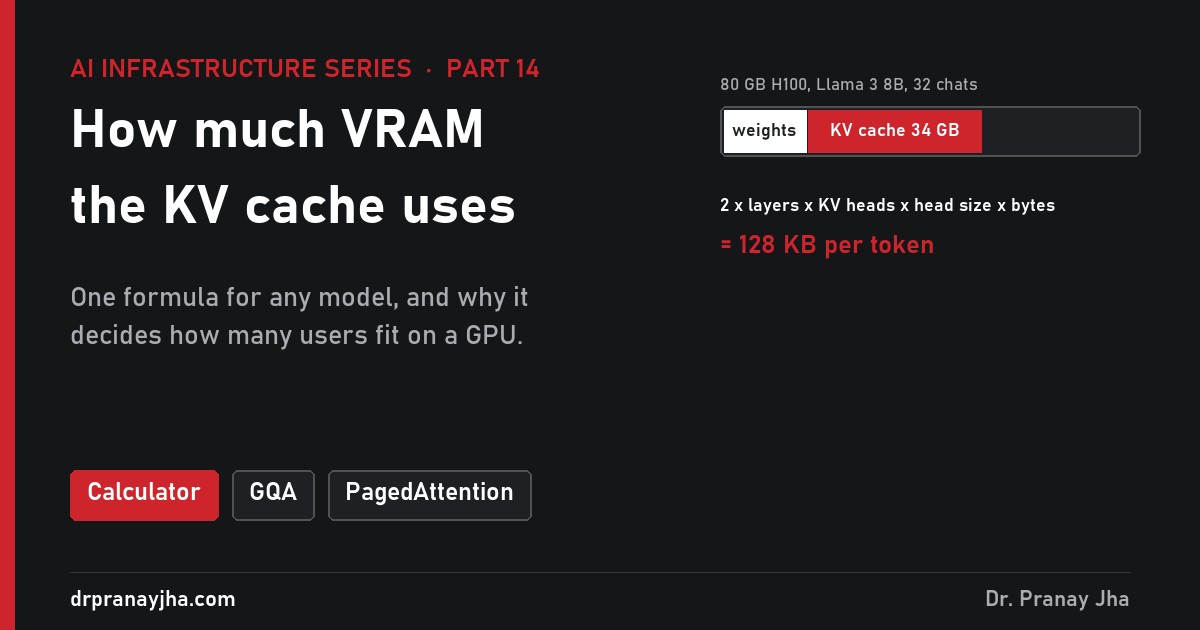
AI Infrastructure series · Part 14 of 24
The KV cache has come up in almost every part of this series: it limits batching, it fills GPU memory, it has to be moved between GPUs. This part works it out properly. You will see what the cache holds and why it exists, derive the formula that sizes it for any model, and use it to answer the questions that matter in production: how many users fit on a GPU, how long a context you can afford, why long conversations slow every token down, and what FP8, prefix caching and offloading actually save.
Size the cache for Llama 3 8B, 70B, 405B or DeepSeek-V3 with chatbot, RAG and long-document presets, watch it grow token by token in every layer, compare MHA, GQA, MQA, MLA and sliding-window attention, and see how long context slows decode on H100, H200 and B200.
What are keys and values, and why keep them?
Inside every layer of a transformer, attention lets each token look back at the tokens before it (part 11). To do that, each token is turned into three vectors. Its query says what it is looking for. Its key says what it contains, so other tokens can decide whether it is relevant. Its value is what it passes on if it is chosen. The new token’s query is compared with the keys of all earlier tokens, the scores become weights, and the weighted sum of their values is what attention returns.
Here is the important detail. A token’s key and value in a given layer depend only on that token and the tokens before it. Once computed, they never change. When the model writes token 501, it needs the keys and values of tokens 1 to 500 in every layer, and they are exactly the same numbers it needed when it wrote token 500. Recomputing them for each new token would make the work per token grow with the conversation, and the total with its square. Storing them makes each decode step a fixed amount of new compute plus a read of what is stored. That store is the KV cache.
Animated walk-through for Llama 3 8B, with 4 of its 32 layers drawn. Prefill writes a key and a value for all five prompt tokens in every layer at once. Each decode step reads every stored key and value in every layer (dashed box), then appends one new column for the token it wrote.
What happens, step by step, when one token is generated?
Prefill writes the prompt. All prompt tokens go through every layer together (part 13). Each layer computes a key and a value for every token and writes them into the cache. A 2,000-token prompt on Llama 3 8B writes 2,000 × 128 KB = 262 MB.
Decode computes one new token’s query, key and value. Only the newest token passes through the layers. In layer 1 it produces one query, one key and one value.
Attention reads the whole cache for that layer. The query is compared with every stored key in layer 1, and the values are blended. For a 2,000-token history that is 2,000 keys and 2,000 values read from GPU memory.
The new key and value are appended. They join the cache for layer 1, and the token moves on to layer 2, where steps 2 to 4 repeat, and so on for all 32 layers.
The cache is now one token longer, in every layer. The next decode step will read 2,001 tokens’ worth. Nothing is ever removed until the conversation ends or the engine evicts it.
Two facts drive the rest of this part. The cache grows by a fixed amount per token, so it is easy to calculate. And every decode step reads all of it, so its size sets how fast tokens are written as well as how much memory you need.
How do you calculate the KV cache size?
Build the formula up from one number. In one layer, for one token, the key is split across the model’s key-value heads, each a vector of head dimension numbers. So one key is KV heads × head dim numbers, and the value is the same size again. Do that in every layer and store each number in some number of bytes:
That gives bytes per token. Multiply by the tokens in a conversation for the cache per conversation, and by the conversations running at once for the total. All four inputs are in the model’s config.json: num_hidden_layers, num_key_value_heads and head_dim (or hidden size divided by the number of attention heads). Note that the number of query heads does not appear. Only KV heads are stored.
Worked example: Llama 3 8B, 70B and DeepSeek-V3
Llama 3 8B, one layer. 8 KV heads × 128 numbers = 1,024 numbers in a key, the same in a value, so 2,048 numbers per layer per token.
All 32 layers, 16-bit. 2,048 × 32 = 65,536 numbers × 2 bytes = 131,072 bytes = 128 KB per token.
One 8,000-token conversation. 8,000 × 128 KB = 1.05 GB. Thirty-two such conversations need 34 GB, more than twice the model’s 16 GB of weights.
Llama 3 70B. Same 8 KV heads of 128, but 80 layers: 2 × 80 × 8 × 128 × 2 bytes = 320 KB per token, or 2.6 GB per 8,000-token conversation. Llama 3.1 405B, with 126 layers, comes to about 504 KB.
DeepSeek-V3. It does not store separate keys and values. Each of its 61 layers stores one compressed vector of 512 numbers plus a 64-number positional part, 576 in all, so there is no factor of 2: 61 × 576 × 2 bytes = 70,272 bytes, about 69 KB per token. A 671B model with less cache per token than an 8B one.
With bytes per token known, a table of context lengths is just multiplication. This is the table worth keeping next to you when someone asks for “128K context”:
| Model (16-bit KV) | Per token | 1,000 tokens | 8,000 tokens | 32,000 tokens | 128,000 tokens |
|---|---|---|---|---|---|
| Llama 3 8B | 128 KB | 0.13 GB | 1.05 GB | 4.2 GB | 16.8 GB |
| Llama 3 70B | 320 KB | 0.33 GB | 2.6 GB | 10.5 GB | 41.9 GB |
| Llama 3.1 405B | ~504 KB | 0.52 GB | 4.1 GB | 16.5 GB | 66.1 GB |
| DeepSeek-V3 (671B, MLA) | ~69 KB | 0.07 GB | 0.56 GB | 2.2 GB | 9.0 GB |
| gpt-oss-120b (hybrid) | 36 KB* | 0.04 GB | 0.30 GB | 1.2 GB | 4.7 GB |
* Per token once the conversation is longer than 128 tokens; half its layers keep only a 128-token window (explained below). GB here is 109 bytes and KB is 1,024 bytes.
Then multiply by users. The total for a busy server is where the surprise usually is:
| Users at once | 8B at 8K each | 8B at 32K each | 70B at 8K each | 70B at 32K each |
|---|---|---|---|---|
| 1 | 1.05 GB | 4.2 GB | 2.6 GB | 10.5 GB |
| 16 | 16.8 GB | 67 GB | 42 GB | 168 GB |
| 64 | 67 GB | 268 GB | 168 GB | 671 GB |
| 256 | 268 GB | 1,074 GB | 671 GB | 2,684 GB |
Sixty-four users of a 70B model at 32,000 tokens each need 671 GB of cache, more than all the memory in an eight-GPU H100 server. Weights are a fixed cost; the cache scales with your traffic.
Why does attention design change the size so much?
The formula has one input that model designers can change without changing the model’s size: the number of KV heads. The original transformer gave every attention head its own key and value, which is called multi-head attention (MHA). Llama 3 8B has 32 query heads, so in MHA form it would store 32 KV heads per layer. Three later designs store less.
Eight query heads are drawn per panel for readability. Bytes per token are for 16-bit storage across all layers of the named model or shape.
- Multi-query attention (MQA) keeps all the query heads but gives them one shared key and value. The cache shrinks by the number of heads, 32 times for an 8B shape, but quality can suffer because every head has to work from the same keys.
- Grouped-query attention (GQA) is the middle ground most open models use. Query heads are split into groups and each group shares one key and value. Llama 3 uses 8 KV heads for 32 query heads in 8B and for 64 in 70B, so groups of 4 and 8. The cache is 4 times smaller than MHA for 8B with little measurable loss.
- Multi-head latent attention (MLA), used by DeepSeek-V2 and V3, stores one small compressed vector per token per layer and expands it into full keys and values inside the attention kernel when they are needed. DeepSeek-V3 has 128 attention heads with 192-number keys and 128-number values. Stored as plain MHA that would be about 4.8 MB per token. MLA stores 576 numbers instead, about 70 times less.
| Design | What is stored per layer per token | Example | Bytes per token (16-bit) | Trade-off |
|---|---|---|---|---|
| MHA | K and V for every head | 8B shape, 32 KV heads | 512 KB | Largest cache, original design |
| GQA | K and V per group of heads | Llama 3 8B, 8 KV heads | 128 KB | 4× smaller, quality close to MHA |
| MQA | One K and V shared by all | 8B shape, 1 KV head | 16 KB | Smallest, more quality risk |
| MLA | One 576-number latent | DeepSeek-V3, 61 layers | ~69 KB | Small cache, extra compute to expand |
| MLA model as plain MHA | K and V for 128 heads | DeepSeek-V3 shape | ~4.8 MB | Shows what MLA saves |
Bytes per token in 16-bit for long conversations. Rows marked “shape” are the Llama 3 8B dimensions with a different number of KV heads, for comparison only.
So you cannot estimate the cache from parameter count. Two models of the same size can differ by four times or more; always read the configuration.
What do sliding-window and hybrid layers do to the cache?
A second way to shrink the cache is to limit how far back some layers look. In a sliding-window layer, each token attends only to the most recent few tokens, so that layer only needs to keep that many keys and values, however long the conversation gets. Older entries can be dropped. Pure sliding-window models lose the ability to look far back, so recent models mix the two kinds: some layers attend to everything, the others to a window. Information from far back still reaches the model through the full layers.
OpenAI’s gpt-oss-120b is a clear example. Its configuration has 36 layers with 8 KV heads of 64 numbers, alternating between sliding layers with a 128-token window and full-attention layers, 18 of each. Work it out per conversation:
Per layer per token. 2 × 8 × 64 × 2 bytes = 2,048 bytes.
Full layers. 18 × 2,048 = 36,864 bytes, 36 KB for every token in the conversation. At 128,000 tokens that is 4.7 GB.
Sliding layers. Also 36 KB per token, but only for the last 128 tokens: 128 × 36 KB = 4.7 MB, fixed, whatever the length.
Result. About 4.7 GB at 128K, half of the 9.4 GB the same model would need if every layer were full.
Cache for one conversation as it grows, in 16-bit. Sliding-window layers stop growing at 128 tokens, so only the full-attention layers keep adding to the total.
Google’s Gemma 3 27B pushes the ratio further, with 52 sliding-window layers and 10 full layers, so its cache at long context is set mostly by those 10 layers. The savings only appear if the serving engine knows about the mix: vLLM has a hybrid KV cache manager that keeps sliding layers to their window, where older engines sized every layer as full.
| Model | Layers | Attention mix | KV at 8K | KV at 128K |
|---|---|---|---|---|
| Llama 3 8B | 32 | all full, GQA 8 heads | 1.05 GB | 16.8 GB |
| gpt-oss-120b, all full (what-if) | 36 | 36 full, GQA 8 heads | 0.59 GB | 9.4 GB |
| gpt-oss-120b, as built | 36 | 18 full + 18 sliding (128 tokens) | 0.30 GB | 4.7 GB |
| DeepSeek-V3 | 61 | all full, MLA latent | 0.56 GB | 9.0 GB |
How many users fit on one GPU?
GPU memory holds three things during serving: the weights, a working area for activations and runtime (a few GB, part 17 measures it), and the KV cache. Serving engines also leave some memory unused; vLLM takes 90% by default. So the number of conversations that fit at once is:
Worked through for Llama 3 8B in 16-bit on one H100 SXM, ignoring the working area for simplicity: 80 GB × 0.9 = 72 GB. Minus 16 GB of weights leaves 56 GB. Each 8,000-token conversation needs 1.05 GB, so 56 ÷ 1.05 = 53 users. On an H200 with 141 GB the same sum gives 126.9 − 16 = 110.9 GB of cache and 105 users. The extra 61 GB is almost all extra cache, so an H200 roughly doubles the users for a small model with the same compute.
Illustrative: 90% of each GPU usable, working memory ignored. Each white tick in the red area marks one 8,000-token conversation; a model that only just loads leaves no room to serve.
The third bar is the warning. Llama 3 70B in FP8 has 70 GB of weights, which “fits” on an 80 GB H100. But 72 − 70 leaves 2 GB, less than one 8,000-token conversation needs. A model that loads is not a model you can serve. On an H200, the same model leaves 57 GB and fits 21 conversations, or 43 with an FP8 cache.
| Setup | KV memory left | Users at 1K | Users at 8K | Users at 32K | Users at 128K |
|---|---|---|---|---|---|
| 1 × H100, 8B 16-bit | 56 GB | 427 | 53 | 13 | 3 |
| 1 × H200, 8B 16-bit | 111 GB | 846 | 105 | 26 | 6 |
| 1 × H100, 70B FP8 | 2 GB | 6 | 0 | 0 | 0 |
| 1 × H200, 70B FP8 | 57 GB | 173 | 21 | 5 | 1 |
| 2 × H200, 70B 16-bit | 114 GB | 347 | 43 | 10 | 2 |
| 8 × H100, 405B FP8 | 171 GB | 331 | 41 | 10 | 2 |
| 8 × H200, DeepSeek-V3 FP8 | 344 GB | 4,898 | 612 | 153 | 38 |
Illustrative upper bounds: 90% of memory usable, 16-bit KV cache, activation and runtime memory ignored, weights at 2 bytes (16-bit) or 1 byte (FP8) per parameter. Real engines fit somewhat fewer.
Read the 128K column carefully. A model with a 128K context window can technically hold that much text, but an H100 serving Llama 3 8B can hold only three such conversations at once. Context length and user count are paid for from the same memory: double one and you halve the other. When you spread a model across several GPUs with tensor parallelism (part 5), the KV heads are split across them too, so each GPU holds part of every conversation’s cache and the pooled memory is what counts, as long as there are at least as many KV heads as GPUs.
Why does long context slow down every token?
Decode is limited by memory bandwidth (part 4). On every step the GPU reads all the weights once, shared by the whole batch, and then each request’s own KV cache. With a short history the weights dominate. With a long one the cache can be as large as the weights, and step time grows with it.
Worked example, Llama 3 8B in 16-bit on one H100 at its 3.35 TB/s, ideal ceilings (illustrative):
One user, 1,000 tokens of history. Read 16 GB of weights + 0.13 GB of cache = 16.1 GB. 16.1 GB ÷ 3.35 TB/s = 4.8 ms per token, about 208 tokens per second.
Same user at 128,000 tokens. Read 16 GB + 16.8 GB = 32.8 GB. That takes 9.8 ms, about 102 tokens per second. The answer streams at half the speed, only because the history is longer.
Sixteen users at 8,000 tokens each. 16 × 1.05 GB = 16.8 GB of cache, the same total as one 128K user, so the step also takes 9.8 ms. Each user gets 102 tokens per second, and the GPU produces about 1,635 in total.
What sets the step time is the total tokens in the batch. 48 users at 8K, 12 at 32K and 3 at 128K all hold 384,000 tokens, read 66 GB per step and run at about 51 tokens per second each.
| Batch on one H100, Llama 3 8B | KV tokens | Read per step | KV share of read | Step time | Per user (tokens/s) | Same on H200 |
|---|---|---|---|---|---|---|
| 1 user × 1K | 1,000 | 16.1 GB | 1% | 4.8 ms | 208 | 298 |
| 1 user × 32K | 32,000 | 20.2 GB | 21% | 6.0 ms | 166 | 238 |
| 1 user × 128K | 128,000 | 32.8 GB | 51% | 9.8 ms | 102 | 146 |
| 16 users × 8K | 128,000 | 32.8 GB | 51% | 9.8 ms | 102 | 146 |
| 48 users × 8K | 384,000 | 66.3 GB | 76% | 19.8 ms | 51 | 72 |
Per-user decode speed, ideal bandwidth ceilings, illustrative. Real engines reach a fraction of these, but the ratios hold.
So cache size is a latency question as well as a memory one, and halving it with FP8 or a smarter attention design speeds up long-context decode too.
Why did reserving memory waste most of it?
Before vLLM, serving engines gave each conversation one contiguous region of KV memory, sized for the longest answer it might produce, because they could not know the length in advance. A chat that used 3,000 tokens of a region reserved for the maximum left the rest empty, and nobody else could use it. The vLLM paper measured older systems wasting 60 to 80% of KV memory this way.
Same memory, two allocation schemes (illustrative). Reserving for the maximum strands most of each region; paging hands out 16-token blocks only as tokens arrive.
PagedAttention hands out the cache in small fixed-size blocks, 16 tokens each by default, as a conversation actually grows. A per-request table maps the conversation’s blocks to wherever they sit in GPU memory, so they do not need to be next to each other, and the only waste is the part-empty last block. Waste drops to under 4%. On one H100 with Llama 3 8B, reserving 128K for every conversation fits 3 users; paging conversations that really use 8,000 tokens fits 53. Block tables, sharing, preemption and how vLLM sizes the block pool are covered in depth in part 17. For sizing, the lesson is simple: with a paged engine, plan for the tokens conversations really hold, plus headroom for peaks.
How do FP8, prefix caching and offloading stretch the cache?
What does an FP8 KV cache save?
Keys and values can be stored in 8-bit floating point instead of 16-bit, halving bytes per token: Llama 3 8B drops from 128 KB to 64 KB. Every number in the earlier tables halves or doubles accordingly: twice the users, twice the context, or half the KV read per decode step. In vLLM it is one flag, --kv-cache-dtype fp8, on GPUs with FP8 support (Ada, Hopper, Blackwell). It is separate from weight quantization (part 18): an FP8 model can keep a 16-bit cache and a 16-bit model can use an FP8 cache. Quality loss is usually small, but long-context reasoning is where it shows first, so test it on your own evaluations before relying on it.
How does prefix caching share a prompt’s cache?
Many requests start with the same text: a system prompt, a tool list, a set of retrieved documents in a RAG app. Their keys and values for that shared beginning are identical, because each token’s key and value depend only on the tokens before it. A prefix cache stores those blocks once and lets every matching request point at them. Fifty users of Llama 3 8B who all start with the same 4,000-token system prompt would need 50 × 4,000 × 128 KB = 26 GB for that prompt alone. Shared, it is 0.5 GB, and the prompt does not need to be prefilled again, so the first token arrives sooner. Prefix caching is on by default in recent vLLM versions, and llm-d’s router sends requests to the replica that already holds their prefix (part 22).
When should the cache leave the GPU?
GPU memory is the fastest and the smallest tier. When it fills, an engine can drop a conversation’s cache and recompute it later, or move it somewhere bigger and copy it back. Which is cheaper depends on transfer speed against prefill compute:
Ideal transfer and compute times for one conversation (illustrative). SSD speed is given as a range; recompute assumes the 70B model split over two H100s at their full BF16 rate.
| Where the cache lives | Typical size per server | Speed to the GPU | One 8K conversation, 8B (1.05 GB) | One 8K conversation, 70B (2.6 GB) |
|---|---|---|---|---|
| GPU memory | 80 to 192 GB per GPU | 3.35 to 8 TB/s | already there | already there |
| CPU memory over PCIe 5.0 x16 | hundreds of GB to TBs | ~64 GB/s each way | 16 ms | 41 ms |
| Local NVMe SSD | several TB | roughly 5 to 14 GB/s (illustrative) | 0.08 to 0.2 s | 0.2 to 0.5 s |
| Recompute with prefill | none needed | compute-bound | ~0.13 s ideal on 1 H100 | ~0.6 s ideal on 2 H100s |
Recompute time is 2 × parameters × tokens at the H100’s 989 dense BF16 TFLOPS, an ideal floor; real prefill is slower. SSD speeds vary widely by drive and are given as a range.
Copying back from CPU memory is roughly ten times faster than recomputing, and CPU memory is far larger, so a CPU tier keeps idle conversations (a user reading the last answer) warm without holding GPU memory. The llm-d project (part 22) builds this into a tiered cache across GPU, CPU memory and storage, and can pull cache from a neighbouring pod. PCIe links are shared, so offloading suits conversations that pause, not ones being actively decoded.
How do you read the KV numbers vLLM reports?
You rarely need to calculate the pool by hand, because vLLM measures it at start-up and logs the result. An example of its shape for Llama 3 8B on one H100 (illustrative numbers, and wording varies between versions):
# illustrative excerpt, not a real capture
INFO  Model loading took 14.99 GiB memory
INFO  GPU KV cache size: 396,272 tokens
INFO  Maximum concurrency for 16,384 tokens per request: 24.19x
Check the numbers against the formula. 396,272 tokens × 128 KB = 51.9 GB of cache, which is what is left of 72 GB after 16 GB of weights and about 4 GB of working memory. In 16-token blocks that is 24,767 blocks. And 396,272 ÷ 16,384 = 24.19, the “maximum concurrency”: how many requests could each use the full --max-model-len at once. It is not a cap. Real requests are shorter, so more run. Add --kv-cache-dtype fp8 and the token count roughly doubles. If the token count is lower than expected, look for a low --gpu-memory-utilization or another process on the GPU.
While serving, two metrics show the cache under load: vllm:kv_cache_usage_perc, the share of blocks in use, and vllm:num_preemptions, how often a request was pushed out because blocks ran out. Usage near 100% with rising preemptions means you are trying to hold more tokens than the GPU has, and the fix is from this part: shorter maximum context, FP8 cache, more memory or fewer concurrent requests per replica.
What do people get wrong about KV cache sizing?
- Sizing for the average conversation. Averages hide the tail. If 5% of conversations reach 64K tokens, they need eight times the cache of an 8K one, and they tend to arrive together, for example when a batch of long documents is uploaded. Size for the peak mix, then let paging use the slack.
- Forgetting concurrency. “1 GB per conversation” sounds small. Multiply by peak users at once, not users per day: 64 users is 67 GB for an 8B model.
- Guessing from parameter count. DeepSeek-V3 needs less cache per token than Llama 3 8B. Read
config.jsonfor layers, KV heads and head dimension. - Using query heads instead of KV heads. Plugging Llama 3’s 32 query heads into the formula gives 512 KB per token, four times too much. Only KV heads are stored.
- Assuming FP8 weights mean an FP8 cache. They are separate settings. A quantized model still stores its cache in 16-bit unless you change it.
- Ignoring the speed cost of long context. Every token of history is read on every step, so long-context work needs more GPUs for the same speed, not only more memory.
Short answers to common questions
Is the KV cache the same as the context window?
No. The context window is the maximum number of tokens the model can attend to. The KV cache is the memory those tokens actually occupy while a conversation is running. A 128K window costs nothing until a conversation uses it.
What happens to the cache when a chat turn ends?
Its blocks are freed. With prefix caching they stay cached until the space is needed, so when the user sends the next message, which repeats the whole history, much of it can be reused instead of prefilled again.
Why not recompute keys and values instead of storing them?
Recomputing them for every new token would mean running the whole history through every layer again on each step. Storing them trades memory for that compute, and for chat-length answers the trade is overwhelmingly worth it.
Do MoE models need more KV cache?
Not because of the experts. Experts are in the MLP part of each layer (part 12), while the cache comes from attention, so only layers, KV heads, head dimension and attention design matter.
- Per token = 2 × layers × KV heads × head dim × bytes (latent size × layers × bytes for MLA models; window × per-layer size for sliding layers).
- Total = per token × tokens per conversation × conversations at once, at peak.
- Users that fit = (usable GPU memory − weights − working memory) ÷ cache per conversation.
- Plan context length and user count together; one is paid for with the other.
- Remember long context slows every decode step, not only memory.
- Use a paged engine, try an FP8 cache, keep prefix caching on, and add a CPU tier for idle conversations.
- Check vLLM’s start-up log and
vllm:kv_cache_usage_percagainst your calculation.
Shapes from Meta’s Llama 3 configurations, DeepSeek-V3’s published configuration (61 layers, 128 heads, 512-number latent plus 64-number positional part per layer), OpenAI’s gpt-oss-120b configuration (36 layers, 8 KV heads of 64, alternating full and 128-token sliding-window layers) and the vLLM hybrid KV cache manager design page (Gemma 3 27B layer split). Fragmentation figures are from the vLLM paper (Kwon et al., SOSP 2023). GPU memory and bandwidth figures are NVIDIA’s published specifications. Users-that-fit, decode-speed and offload timings are worked ideal estimates, and the log excerpt is illustrative.
About The Author








 DrJha