

AI Infrastructure series · Part 19 of 24
Sooner or later someone asks for a model that writes in the company’s style, fills in one specific form, or answers in the vocabulary of one industry. Training a model from scratch is out of the question, and even fully fine-tuning an 8B model needs about 130 GB of GPU memory. LoRA is what most teams use instead: it trains a small add-on, called an adapter, next to a frozen model. This part shows how the adapter works inside one layer, what it costs to train, and how one GPU can serve dozens of customised versions of the same model at the same time.
Step through one layer’s forward pass with a real (tiny) LoRA adapter, size an adapter for Llama 3.1 8B or 70B, compare training memory, watch a mixed batch of adapters share one base model, and count the GPUs needed to serve many fine-tunes.
When should you fine-tune instead of prompting or using RAG?
There are four ways to make a general model behave the way you need. Better prompts change only the request. Retrieval-augmented generation (RAG) changes what the model can see: you search your documents at question time and paste the relevant passages into the prompt. Fine-tuning changes the model’s weights, so the change is there on every request without being asked for. Pretraining builds the weights in the first place.
The rule that holds up in practice: fine-tuning changes behaviour, retrieval supplies facts. If the model needs to know this quarter’s prices, a fine-tune is the wrong tool, because the prices change next quarter and the adapter would need retraining. If the model needs to always answer in a fixed JSON layout, always write in a particular tone, or handle a narrow task the way your best people do, that is behaviour, and a fine-tune makes it reliable without a two-page system prompt on every call.
Each step to the right costs roughly an order of magnitude more. Most customisation needs stop at the first three; LoRA is the cheapest way to change the weights themselves.
| Need | Best first tool | Why |
|---|---|---|
| Answers from your documents | RAG | Facts change; updating an index takes minutes, retraining takes hours |
| Fixed output format (JSON, a form) | Prompt, then LoRA | A fine-tune makes the format reliable without long instructions on every call |
| House tone and vocabulary | LoRA | Style is hard to describe in a prompt, easy to show in a few thousand examples |
| A narrow task done like an expert | LoRA, often with RAG | Behaviour from the adapter, current facts from retrieval |
| A new language or a new domain at depth | Continued pretraining or full fine-tune | Large amounts of new knowledge need more capacity than a small adapter |
| One version per customer | LoRA, served as separate adapters | Hundreds of versions can share one base model’s GPUs |
What does full fine-tuning change, and what does it cost?
Full fine-tuning is ordinary training, started from an existing model instead of random numbers. Every one of Llama 3.1 8B’s 8.03 billion weights gets a gradient and an update on every step. As part 15 worked out, mixed-precision training with the Adam optimizer holds about 16 bytes per trained parameter: 2 for the 16-bit weight, 2 for its gradient, and 12 for the optimizer (a 32-bit master copy and two 32-bit running averages).
Memory is the first cost. The second is what you end up with: a complete new model. Ten fine-tuned versions are ten 16 GB checkpoints to store, version and, worse, serve, each on its own GPUs. The third is risk. Updating every weight on a few thousand narrow examples can damage skills the model had, an effect called catastrophic forgetting, so full fine-tuning needs careful learning rates and broad evaluation. For “answer like our support desk”, it is far more than the job needs.
How does LoRA work, step by step?
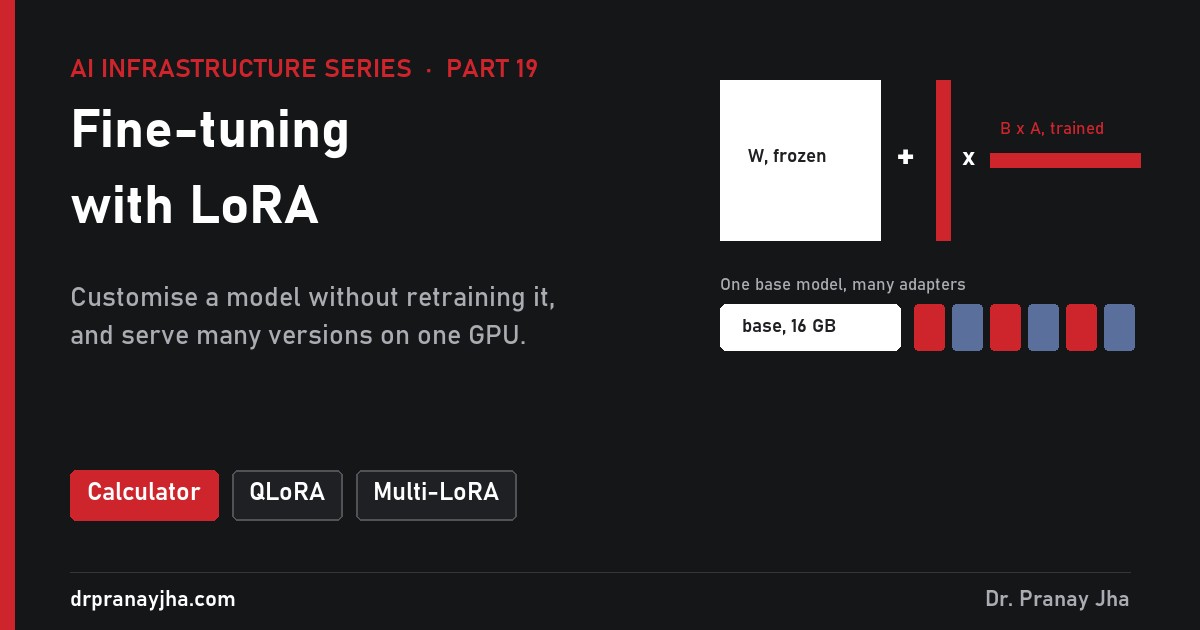
Every layer of a transformer is mostly large weight matrices (part 11): four in attention (query, key, value, output) and three in the MLP (gate, up, down). Each one takes a vector of numbers in and multiplies it by the matrix. LoRA, short for low-rank adaptation (Hu et al., 2021), leaves a chosen matrix W frozen and adds a side path made of two thin matrices, A and B. The input goes through both paths and the results are added.
One query projection of Llama 3.1 8B with a rank-16 adapter. The outline walks through the six steps in order. Only A and B (red) are trained; W never changes.
Input arrives. A vector x of 4,096 numbers, the hidden state for one token, reaches the query projection.
Normal path. The frozen W multiplies it exactly as in the original model: Wx, 4,096 numbers out. This is 16.8 million multiply-adds per token.
Squeeze. A, a 16 × 4,096 matrix, multiplies the same x and produces only 16 numbers. This is the “low rank”: the update has to pass through a 16-number bottleneck.
Expand. B, a 4,096 × 16 matrix, turns those 16 numbers back into 4,096. Steps 3 and 4 together cost 131,072 multiply-adds, 0.8% of step 2.
Scale. The side result is multiplied by α/r, a fixed number set before training (α = 32 and r = 16 gives 2).
Add. The two results are added: y = Wx + (α/r)BAx. The rest of the model sees a vector of the usual shape and carries on as before.
Two details in the paper matter in practice. First, the starting values: A starts with small random numbers and B starts at zero. So at step zero of training BAx is exactly zero, and the model behaves exactly like the base model. Training then moves B away from zero only as far as the examples require. Second, the α/r scale. Because the update is divided by the rank, you can change r without re-tuning the learning rate each time; the authors simply set α once and left it.
Because B × A has the same shape as W, nothing else in the model needs to change. And after training, you can compute W + (α/r)BA once and get an ordinary matrix with the adapter baked in, which is why a merged LoRA model runs at exactly the speed of the original.
Why is such a small update enough?
A rank-16 product can only express a limited family of changes to W. The LoRA paper’s argument, building on earlier work by Aghajanyan et al., is that the change a model needs during adaptation has a low “intrinsic rank”: the pretrained model already holds the knowledge, and steering it towards a task only needs a few directions of change per matrix. The paper’s own evidence was striking. On GPT-3 175B, adapting only the query and value matrices at rank 4 matched or beat full fine-tuning on their benchmarks, cut the checkpoint from 350 GB to 35 MB (about 10,000 times smaller), reduced training memory from 1.2 TB to 350 GB, and trained about 25% faster, because gradients for the frozen weights are never computed.
The limit is the flip side of the same argument. If the task needs a lot of genuinely new knowledge (a new language, a large body of new facts), a small adapter has too little capacity, and the results show it. LoRA is excellent at steering what a model already knows and weak at teaching it a lot of new material.
How many parameters does an adapter add?
An adapter on a matrix of shape d × k adds r × (d + k) parameters: d × r for B and r × k for A. Llama 3.1 8B has a hidden size of 4,096, an MLP size of 14,336, and key and value projections of 1,024 (8 key-value heads of 128). Here is the full count at rank 16 with an adapter on all seven matrices of every layer.
| Matrix | Shape (d × k) | Frozen weights | Adapter r × (d + k) | Share trained |
|---|---|---|---|---|
| q_proj | 4,096 × 4,096 | 16.8M | 131,072 | 0.78% |
| k_proj | 4,096 × 1,024 | 4.2M | 81,920 | 1.95% |
| v_proj | 4,096 × 1,024 | 4.2M | 81,920 | 1.95% |
| o_proj | 4,096 × 4,096 | 16.8M | 131,072 | 0.78% |
| gate_proj | 4,096 × 14,336 | 58.7M | 294,912 | 0.50% |
| up_proj | 4,096 × 14,336 | 58.7M | 294,912 | 0.50% |
| down_proj | 14,336 × 4,096 | 58.7M | 294,912 | 0.50% |
| One layer | 7 matrices | 218.1M | 1,310,720 | 0.60% |
| 32 layers | 224 matrices | 6.98B | 41,943,040 | 0.52% of 8.03B |
Worked through: one layer adds 131,072 × 2 + 81,920 × 2 + 294,912 × 3 = 1,310,720 parameters. Thirty-two layers make 41,943,040, about 41.9 million. At 2 bytes each in 16-bit, the adapter file is about 84 MB, next to a 16 GB base model. The same recipe on Llama 3.1 70B (80 layers, hidden 8,192, MLP 28,672) gives about 207 million parameters and a 414 MB file, against 141 GB of base weights.
When you wrap the model with Hugging Face PEFT, it prints the same count, which is a quick check that the adapter went where you meant it to go:
trainable params: 41,943,040 || all params: 8,072,204,288 || trainable%: 0.5196Which rank and which layers should you pick?
Rank and targets are the two knobs. Higher rank gives the adapter more capacity; more target matrices spread that capacity across more of the model. The original paper adapted only query and value; later practice, including the QLoRA paper, found that putting adapters on every linear layer matters more than raising the rank.
| Llama 3.1 8B setting | Trainable | Adapter file | When to use it |
|---|---|---|---|
| r = 16, q and v only | 6.8M (0.08%) | 14 MB | Light style changes; matches the original paper |
| r = 16, all attention | 13.6M (0.17%) | 27 MB | Format and tone when memory is very tight |
| r = 8, all 7 matrices | 21.0M (0.26%) | 42 MB | A good default for narrow tasks |
| r = 16, all 7 matrices | 41.9M (0.52%) | 84 MB | Most common starting point |
| r = 32, all 7 matrices | 83.9M (1.04%) | 168 MB | Harder tasks, larger datasets |
| r = 64, all 7 matrices | 167.8M (2.09%) | 336 MB | Rarely better; try more data first |
A common setting is α = 2r (α = 32 at rank 16), with a learning rate around 1e-4 to 2e-4, roughly ten times higher than full fine-tuning would use, because only the small adapter is moving. Raising the rank past 32 seldom helps; if results are poor, the data is usually the problem.
How much GPU memory does training need, and what does QLoRA add?
LoRA removes the 16 bytes per parameter for every frozen weight. Gradients and optimizer state now exist only for the adapter: 41.9M × 16 bytes, about 0.7 GB for the 8B model. What is left is the frozen model itself (16 GB in 16-bit) and the activations, the intermediate values kept from the forward pass so the backward pass can use them. Gradients still flow backward through the frozen layers to reach the adapters in earlier layers, so activations do not go away.
Once the base model dominates, the obvious next step is to shrink it. QLoRA (Dettmers et al., 2023) stores the frozen model in 4-bit and keeps the adapter in 16-bit, which let its authors fine-tune a 65B model on a single 48 GB GPU, down from more than 780 GB. It combines three ideas:
NF4 storage. A 4-bit “NormalFloat” type whose 16 values are placed so each holds an equal share of a normal distribution, which is how pretrained weights are spread. Weights are quantized in blocks of 64, each with its own scale (part 18 covers block scales). For every matrix multiply, the block is turned back into BF16 on the fly; the arithmetic itself is 16-bit.
Double quantization. A 32-bit scale per 64 weights costs 0.5 bits per weight. QLoRA quantizes those scales again, to 8-bit in blocks of 256, cutting the overhead to about 0.127 bits: a saving of 0.373 bits per parameter, about 3 GB on a 65B model.
Paged optimizers. The optimizer state is put in NVIDIA unified memory, so when a long sequence causes a memory spike, pages move to CPU RAM instead of the job crashing with out-of-memory, and come back when the optimizer step needs them.
Llama 3.1 8B: GPU memory to fine-tune (illustrative)
Llama 3.1 70B: GPU memory to fine-tune (illustrative)
Where the 8B full fine-tune’s memory goes, which shows why LoRA and QLoRA cut so deep:
| Item | 8B full | 8B LoRA | 8B QLoRA | 70B LoRA | 70B QLoRA |
|---|---|---|---|---|---|
| Base weights | 16.1 GB | 16.1 GB | ~4.4 GB | 141 GB | ~39 GB |
| Gradients + optimizer | 112 GB | 0.7 GB | 0.7 GB | 3.3 GB | 3.3 GB |
| Activations (allowance) | ~4 GB | ~4 GB | ~4 GB | ~12 GB | ~12 GB |
| Total | ~132 GB | ~21 GB | ~9 GB | ~157 GB | ~54 GB |
| Fits on | 2+ × 80 GB | one 24 GB GPU | a consumer GPU | 2-3 × 80 GB | one 80 GB GPU |
These figures are illustrative: rank 16 on every matrix, about 0.55 bytes per weight for the 4-bit base (4 bits plus scales, with embeddings and norms left in 16-bit), and a rough activation allowance with gradient checkpointing and modest batches. Longer sequences and bigger batches need more. QLoRA trades some speed for the memory, because every matrix is dequantized on every pass, so on a GPU with room to spare, plain LoRA trains faster.
What happens when you train an adapter, step by step?
LoRA training as a pipeline. The highlight moves through the stages; the red loop is where most real projects spend their iterations.
1. Prepare examples. Each example is a conversation showing exactly the behaviour you want. A row in a typical JSONL training file looks like this:
{"messages": [
  {"role": "system", "content": "You are the support assistant for Acme Routers."},
  {"role": "user", "content": "My router keeps dropping Wi-Fi every evening."},
  {"role": "assistant", "content": "Sorry about that. Two quick checks: ..."}
]}
2. Apply the chat template. The tokenizer turns each conversation into the exact special tokens the base model was trained with (Llama 3.1 has its own header and end-of-turn tokens). Using the wrong template is one of the most common reasons an adapter behaves oddly. The loss is usually computed only on the assistant’s tokens, so the model learns to produce answers rather than to repeat questions.
3. Train. A minimal QLoRA setup with Hugging Face Transformers, PEFT and bitsandbytes:
from transformers import AutoModelForCausalLM, BitsAndBytesConfig
from peft import LoraConfig, get_peft_model
import torch

bnb = BitsAndBytesConfig(load_in_4bit=True, bnb_4bit_quant_type="nf4",
                         bnb_4bit_use_double_quant=True,
                         bnb_4bit_compute_dtype=torch.bfloat16)
model = AutoModelForCausalLM.from_pretrained(
    "meta-llama/Llama-3.1-8B-Instruct", quantization_config=bnb)

lora = LoraConfig(r=16, lora_alpha=32, lora_dropout=0.05, task_type="CAUSAL_LM",
                  target_modules=["q_proj", "k_proj", "v_proj", "o_proj",
                                  "gate_proj", "up_proj", "down_proj"])
model = get_peft_model(model, lora)
model.print_trainable_parameters()   # 41,943,040 trainable, 0.52%
# then train with TRL's SFTTrainer, optim="paged_adamw_8bit", lr 2e-4
Leave out the quantization_config and you have plain LoRA on a 16-bit base. Unsloth and Axolotl wrap the same steps, and most cloud AI platforms offer managed LoRA training.
How long does it take? A worked example, with illustrative numbers. Take 5,000 examples of about 500 tokens each, trained for 3 epochs: 7.5 million tokens. Full training costs about 6 × parameters FLOPs per token (part 15). LoRA still runs the full forward pass and still sends gradients backward through every frozen layer, but skips computing gradients for the frozen weights, so call it about 4 × parameters:
Real runs take longer (small batches, QLoRA dequantization, evaluation in between), so expect an hour or two on one GPU. The GPU time is the cheap part.
4 and 5. Evaluate and save. The output folder holds adapter_model.safetensors (the A and B matrices) and adapter_config.json, which records the rank, α, target modules and the base model name. An adapter only works on the exact base model it was trained on: an adapter for Llama 3.1 8B Instruct will load onto another 8B model with the same shapes and quietly produce garbage.
How do you know the adapter is any good?
Data quality decides the result far more than rank or epochs. The QLoRA authors trained more than 1,000 models and found that a 9,000-example curated dataset (OASST1) gave a better chatbot than a 450,000-example subset of FLAN v2. A few thousand examples that are correct, consistent and representative of real requests beat a large scraped pile. Remove duplicates, fix contradictions, and cover the awkward cases.
Evaluation has three parts. Check the target task on held-back examples the adapter never saw, scored by people or by a stronger model against a written rubric. Check general ability on a fixed set of everyday questions, to catch forgetting: if the adapter now answers “what is 15% of 80?” in your support template, it has overfitted. And watch the curves during training: training loss should fall, validation loss should fall and then flatten; if validation loss starts rising while training loss keeps falling, stop, because the adapter is memorising the examples.
How does one GPU serve many adapters at once?
There are two ways to put an adapter into production.
Compute W + (α/r)BA once and serve the result as an ordinary model. No extra work per token, and any serving engine runs it. But each fine-tuned version becomes a full 16 GB or 141 GB copy that needs its own GPUs.
Load the base model once and keep adapters beside it. Each request names the adapter it wants. Dozens or hundreds of versions share the same GPUs, at a small extra cost per token.
Keeping adapters separate works because of how a batch is computed. With continuous batching (part 17), one decode step processes one token for every running request. For each weight matrix, the server does two things. First, one large matrix multiply of all the requests’ vectors by the shared W, exactly as without LoRA. Second, for each adapter present in the batch, a small multiply of only that adapter’s rows by its own A and B, and the result is added to those rows.
How a mixed batch is computed for one weight matrix. The outline moves from the batch, to the shared base multiply, to the per-adapter multiplies, to the combined outputs. This repeats for every adapted matrix in every layer.
Why the extra cost is small, worked through for Llama 3.1 8B with illustrative numbers. Decode is limited by memory bandwidth (part 13): each step reads all the weights from HBM once. Suppose a batch of 32 requests uses 8 different adapters.
| Per decode step | Base model | 8 adapters | Extra |
|---|---|---|---|
| q_proj weights read | 33.5 MB | 8 × 262 KB = 2.1 MB | +6.3% |
| q_proj multiply-adds (32 tokens) | 537M | 4.2M | +0.8% |
| Whole model weights read | 16.1 GB | 8 × 84 MB = 0.67 GB | +4.2% |
| Ideal step time on H100 (3.35 TB/s) | ~4.8 ms | ~0.2 ms | +4.2% |
The extra bytes grow with the number of distinct adapters in the batch, not the number of requests: 32 requests on one adapter read it once. In practice, the gather-and-multiply kernels are less efficient than one big multiply, so measured overhead is higher than this ideal. Punica (Chen et al., 2023) built a kernel for exactly this pattern, called SGMV (segmented gather matrix-vector multiplication), and reported about 2 ms added per token with 12 times the throughput of serving systems without it. S-LoRA (Sheng et al., 2023) kept all adapters in CPU memory, moved only the ones needed by running requests to the GPU, managed adapter weights and KV cache in one paged pool, and served thousands of adapters on one GPU with up to 4 times the throughput of earlier libraries. vLLM’s multi-LoRA support uses the same ideas.
Adapters that are not in the current batch wait in CPU memory. Moving an 84 MB adapter over PCIe 5.0 at about 64 GB/s takes roughly 1.3 ms at the link’s peak (illustrative; real loads take longer with software overhead), which is short next to a request that runs for seconds. Loading from disk or object storage on first use is much slower, so keep the popular adapters registered at start-up.
How does this look in vLLM?
vllm serve meta-llama/Llama-3.1-8B-Instruct \
  --enable-lora \
  --lora-modules support=/adapters/support forms=/adapters/forms cust-17=/adapters/cust-17 \
  --max-loras 8 \
  --max-lora-rank 16 \
  --max-cpu-loras 64
curl http://localhost:8000/v1/chat/completions -H "Content-Type: application/json" -d '{
"model": "support",
"messages": [{"role": "user", "content": "My router keeps dropping Wi-Fi every evening."}]
}'The model field picks the adapter; sending the base model’s name gets the base model. /v1/models lists the base and every registered adapter.
| Flag | What it controls | How to set it |
|---|---|---|
| –enable-lora | Turns on multi-adapter serving | Required |
| –lora-modules | Adapters registered at start-up, as name=path | Your most-used adapters |
| –max-loras | Distinct adapters allowed in one batch (GPU slots) | The number of adapters busy at the same moment; the default is small |
| –max-lora-rank | Largest rank the slots can hold (default 16) | The highest rank among your adapters, no higher: slots are sized for it |
| –max-cpu-loras | Adapters cached in CPU memory | Enough to hold the working set and avoid disk reloads |
vLLM can also load and unload adapters at run time through /v1/load_lora_adapter and /v1/unload_lora_adapter when VLLM_ALLOW_RUNTIME_LORA_UPDATING=True is set. Its documentation warns this is a security risk, so use it only inside a trusted, isolated environment.
How do you route adapters across many replicas?
Across a fleet of replicas, the question becomes which replica gets the request. A plain round-robin load balancer sends a “cust-17” request to any pod, which may have to load the adapter first while another pod already has it in a slot.
Adapter-aware routing: each request goes to a pod that already holds its adapter in a GPU slot, unless that pod is overloaded, in which case another pod loads it from the adapter store.
This is the job of an inference-aware gateway. llm-d (part 22) builds on the Kubernetes Gateway API Inference Extension, whose endpoint picker scores pods on queue depth, KV cache use and, for LoRA, whether the requested adapter is already loaded; vLLM publishes which adapters are running and waiting as a metric (vllm:lora_requests_info) for exactly this purpose. Adapter routing has changed between releases, so check what your version supports. Either way, every replica runs the same base model and reads adapters from shared storage.
The payoff shows when you count GPUs. Illustrative minimums for weights only, 16-bit, on 80 GB GPUs with 10% kept free, before any KV cache (add that per part 14 and size the fleet per part 20):
| Fine-tuned versions | 8B merged copies | 8B base + adapters | 70B merged copies | 70B base + adapters |
|---|---|---|---|---|
| 1 | 1 GPU | 1 GPU | 2 GPUs | 2 GPUs |
| 5 | 2 GPUs | 1 GPU | 10 GPUs | 2 GPUs |
| 20 | 5 GPUs | 1 GPU | 40 GPUs | 3 GPUs |
| 50 | 12 GPUs | 1 GPU | 100 GPUs | 3 GPUs |
| 100 | 23 GPUs | 1 GPU | 200 GPUs | 3 GPUs |
Merged copies make sense when one version carries most of the traffic. Otherwise most of them sit idle, while with adapters every GPU serves every version’s traffic and you add replicas for load, not for the number of versions.
What mistakes do teams make with LoRA?
- Fine-tuning for facts. Training product details into an adapter gives confident answers that go stale. Retrieval supplies facts; the adapter supplies behaviour.
- The wrong chat template. Training with one template and serving with another produces rambling or truncated answers. Use the tokenizer’s own template in both places.
- Adapter on the wrong base. An adapter trained on the base model loaded onto the Instruct model (or a different version) loads without error and behaves badly. Store the exact base name and revision with every adapter.
- Too high a rank, too little data. Rank 128 on 500 examples memorises them. Start at 8 to 16 on all linear layers and improve the data before raising the rank.
- No general-ability check. An adapter that wins on the task and fails simple everyday questions will embarrass you in production.
- Merging a QLoRA adapter into the 4-bit model. Merge into the 16-bit base, then quantize the merged model if you need to, or the rounding errors stack up.
- Setting –max-lora-rank to the maximum “just in case”. vLLM sizes every slot for that rank, so a needlessly high value wastes GPU memory the KV cache could use.
Questions people ask about LoRA
Does LoRA make the model slower?
Merged, no: the weights have the same shape as before. Served as a separate adapter, each step does a little extra work, a few percent in the ideal case and more with many distinct adapters in one batch.
How many examples do I need?
For format and tone, a few hundred to a few thousand good examples are often enough. Quality matters more than count: a curated 9,000 beat 450,000 in the QLoRA paper.
Can I combine two adapters?
You can serve many on one base, but each request uses one. Adding two adapters’ weights together is possible and sometimes works, but usually needs retraining on combined data to be reliable.
Is QLoRA worse than LoRA?
The QLoRA paper matched 16-bit fine-tuning quality on its benchmarks. In practice the difference is usually small; QLoRA trains slower because of dequantization, so use it when memory, not time, is the limit.
Can I fine-tune a model I only reach through an API?
Only if the provider offers fine-tuning. LoRA needs the weights, so it applies to open-weight models you host or to managed training services that host them for you.
- Use fine-tuning for behaviour and format; use retrieval for facts that change.
- Start with rank 8 to 16, α = 2r, on all seven linear layers.
- Use QLoRA when GPU memory is tight; LoRA on a 16-bit base when you have room and want speed.
- Spend most of the effort on data: clean, consistent, in the model’s own chat template.
- Test against the base model on your task and on general questions.
- Merge for one high-traffic version; serve as separate adapters when you have many.
- Size –max-loras for adapters busy at once and –max-lora-rank for your highest rank, no more.
- Keep every adapter labelled with its exact base model and revision.
LoRA from Hu et al., “LoRA: Low-Rank Adaptation of Large Language Models” (2021); QLoRA from Dettmers et al. (2023); S-LoRA from Sheng et al. (2023); Punica from Chen et al. (2023). Matrix shapes from Meta’s Llama 3.1 configurations. vLLM flags and endpoints from the vLLM documentation. Memory, GPU counts, training time and serving overheads are illustrative estimates.
About The Author








 DrJha