

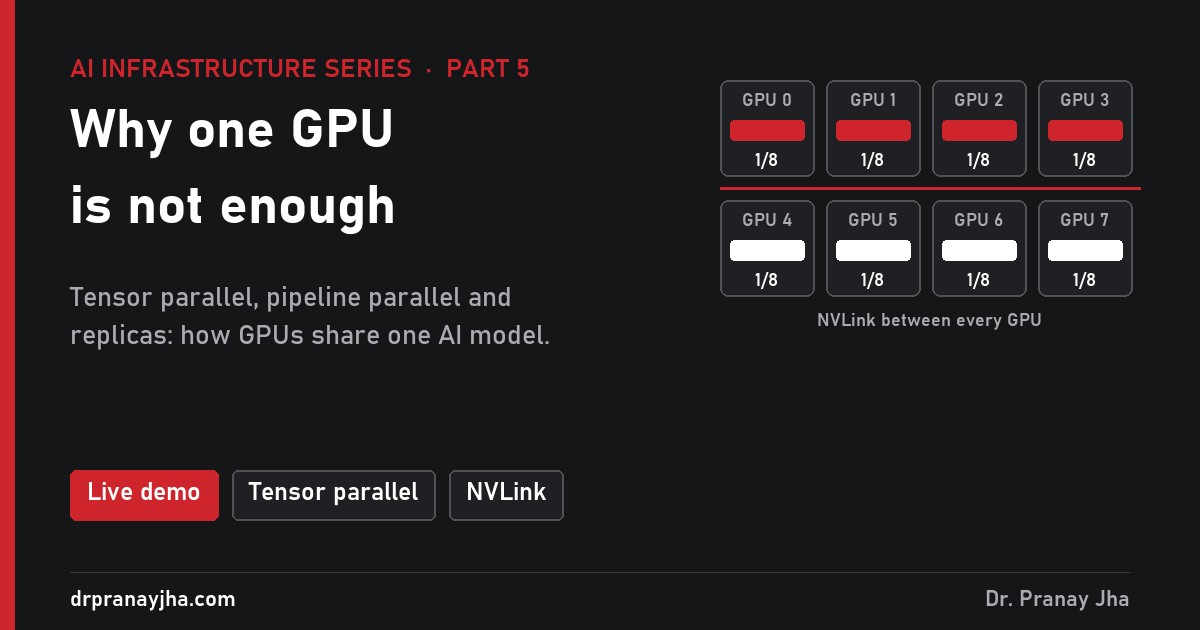
AI Infrastructure series · Part 5 of 24
Llama 3.1 70B in 16-bit needs about 141 GB for its weights alone, and an H100 has 80 GB. So the model has to be split, and there are several ways to split it, each with a different price in network traffic. This part walks through each method step by step with real layer sizes: what each GPU holds, what moves between GPUs and how often, why eight GPUs are never eight times faster, and how to pick a layout for serving.
Split a model up to 405B with tensor parallel, pipeline parallel and replicas, step through a tensor-parallel layer, watch the pipeline bubble shrink as you add micro-batches, and see where scaling stops paying for 70B serving, 405B serving and a training run.
When do you need more than one GPU?
There are three different reasons, and they lead to different answers. Mixing them up is the most common reason teams buy the wrong layout, so take them one at a time.
Reason 1: the model does not fit
The weights alone take parameters × bytes per parameter (part 7). The KV cache for every active conversation comes on top (part 14), and the serving engine needs a few GB of working memory. The table shows the weights for three Llama 3.1 sizes against the 80 GB of an H100 and the 640 GB of an 8-GPU H100 server.
| Model | 16-bit weights | 8-bit weights | One H100 (80 GB)? | One 8-GPU server (640 GB)? |
|---|---|---|---|---|
| Llama 3.1 8B | 16 GB | 8 GB | Yes, with lots of KV room | Run 8 copies instead |
| Llama 3.1 70B | 141 GB | 71 GB | No in 16-bit; 8-bit fits with almost no KV room | Yes |
| Llama 3.1 405B | 812 GB | 406 GB | No | 8-bit only (about 58 GB per GPU with working memory); 16-bit needs two servers |
When the model does not fit, you have no choice: something must cut the model into pieces. That is tensor or pipeline parallelism.
Reason 2: one user’s answers are too slow
A model that fits can still be too slow. In decode, every token needs a read of every weight (part 4, part 13). Llama 3.1 70B in 8-bit on one H100 means reading 70.6 GB at 3.35 TB/s: 21 ms per token, at most about 47 tokens per second for a single user, before any KV cache read. Split the same model over four H100s and each reads a quarter, 5.3 ms, plus the time to exchange results. The ceiling rises to about 150 tokens per second. Only tensor parallelism gives this speed-up; the other methods do not shorten one token’s path.
Reason 3: too many users
A model can fit and be fast enough but still not serve everyone. Part 17 worked out that one H100 running Llama 3.1 8B tops out near 8,800 tokens per second with 64 users (an ideal ceiling, illustrative). If 2,000 people are generating at once at 30 tokens per second each, you need 60,000 tokens per second: at least seven GPUs at the ideal ceiling, and in practice more. Nothing needs splitting here. You need more copies of the model, which is data parallelism, called replicas when serving.
What are the ways to split the work?
Three basic strategies. Tensor parallel slices every layer, pipeline parallel gives each GPU a block of layers, replicas copy the whole model. Large deployments combine them.
Every method answers two questions: what does each GPU hold, and what has to move between GPUs, how often. The second answer decides which network you need. Two more methods, expert parallel and context parallel, appear in larger systems and are covered further down.
| Method | Each GPU holds | What moves | How often | Link it needs | Solves |
|---|---|---|---|---|---|
| Data parallel / replicas | The whole model | Serving: nothing. Training: all gradients | Training: once per step | Any for serving; fast for training | Too many users, more training throughput |
| Tensor parallel | A slice of every layer | Partial results (all-reduce) | Twice per layer, every token | NVLink, inside one server | Fit and speed for one user |
| Pipeline parallel | A block of whole layers | Activations at the hand-over | Once per stage boundary | Server-to-server network is fine | Fit across servers |
| Expert parallel | Some of the experts | Tokens to and from their experts (all-to-all) | Twice per MoE layer | Fast, all-to-all friendly | Fit for big MoE models |
| Context parallel | Part of a long sequence | Keys and values of other parts | Every attention layer | Fast | Very long prompts |
How do replicas and data parallelism work?
Data parallelism is the simplest method: put a full copy of the model on each GPU (or each group of GPUs) and give each copy different work. Serving and training use it differently.
Serving replicas share nothing at run time, so any network works. Training copies must agree on one set of weights, so every step ends with an all-reduce of the gradients.
When serving, a load balancer sends each request to one copy. The copies never talk while answering. Each has its own KV cache and its own batch, so a request’s history lives only on the copy that started it, which is why a follow-up turn should go back to the same copy if you want to reuse its cached prompt (llm-d’s routing in part 22 does this). Replicas multiply capacity in a straight line and keep the service up when one copy fails. They do nothing for one user’s speed, and every copy needs the full memory for weights.
When training, each copy runs a different slice of the batch, so each computes different gradients. Before the optimizer can update, the copies average their gradients with an all-reduce, so every copy applies the same update and stays identical. That exchange is big. Llama 3.1 8B has 16 GB of 16-bit gradients. A ring all-reduce makes each GPU send and receive about twice that, 32 GB per step. At about 50 GB/s per GPU between servers that is 0.64 seconds of traffic every step. Frameworks hide much of it by sending each layer’s gradients while the backward pass is still working on earlier layers.
Plain data parallelism also copies the optimizer. Mixed-precision Adam needs about 16 bytes per parameter, so a 70B model carries about 1.13 TB of training state, more than a whole 8-GPU server. ZeRO and PyTorch FSDP shard that state across the data-parallel copies instead of copying it: across 64 GPUs it is about 18 GB each. Part 15 explains the sharding stages and the training network in detail.
How does tensor parallelism split a layer?
Tensor parallelism, as introduced by NVIDIA’s Megatron-LM work, cuts the big weight matrices inside each layer so that every GPU does part of every multiplication. The trick is to cut them in a way that needs as little talking as possible. A transformer layer (part 11) has two blocks, attention and the MLP, and each is split the same way: the first matrix by columns, the second by rows.
Animated walk-through of one MLP block of Llama 3.1 70B on two GPUs. Each GPU holds half of every matrix and talks once, at the end. Llama really has two input matrices here (gate and up), both split by columns the same way; one is drawn for clarity.
Copy the input. The token’s vector x (8,192 numbers for 70B) is on every GPU in the group.
Column split. The first MLP matrix is 8,192 × 28,672. With 2 GPUs, GPU 0 holds columns 1 to 14,336 and GPU 1 the rest. Each multiplies x by its own columns and gets its own half of the hidden vector. Those halves are independent, so the activation function (SiLU) is applied locally. No talking yet.
Row split. The second matrix is 28,672 × 8,192. GPU 0 holds the rows that match its half of the hidden vector. Each GPU multiplies and gets a full-width 8,192 result, but it is only a partial sum.
All-reduce. The GPUs exchange partial results and add them. Now both hold the same, correct output. This is exchange number one for the layer.
Attention, split by heads. Llama 3.1 70B has 64 query heads and 8 key-value heads. With 8 GPUs, each takes 8 query heads and 1 key-value head, computes attention for them alone and keeps only their part of the KV cache. The output projection is split by rows, so attention also ends with one all-reduce. Two exchanges per layer, 160 for the 80 layers, for every token.
Because each GPU holds 1/N of every matrix, it also holds 1/N of the weights and 1/N of the KV cache, and it reads only 1/N of the weights per token. That is why tensor parallelism is the one method that makes a single user faster. The price is those 160 exchanges, which sit in the critical path: no GPU can start the next block until the all-reduce finishes.
There is a limit on the group size. The heads must divide evenly over the GPUs, so for a model with 64 query heads, groups of 2, 4 or 8 work, and 3 or 6 do not. Beyond the 8 key-value heads of Llama 3.1, a larger group has to repeat key-value heads on several GPUs, which wastes KV memory.
How much data moves per token? A worked example
Each all-reduce carries one vector of the hidden size per token in the batch. For Llama 3.1 70B in 16-bit:
One exchange. 8,192 values × 2 bytes = 16 KB per token.
One token through the model. 16 KB × 2 exchanges per layer × 80 layers = 2.6 MB.
Ring all-reduce cost. In a ring, each GPU sends about 2 × (N − 1) ÷ N times the message. For 8 GPUs that is 1.75 × 2.6 MB = 4.6 MB sent per GPU per token.
Scale by the batch. A decode step for 64 users moves 64 times that, 294 MB per GPU. Prefilling one 8,000-token prompt moves 8,000 times that, about 37 GB per GPU.
Divide by the link. NVLink 4 gives an H100 450 GB/s each way; PCIe 5.0 x16 about 64 GB/s each way. The table shows the result.
| Work (70B, 16-bit, 8 GPUs) | Data each GPU sends | Over NVLink | Over PCIe 5.0 | GPU work it sits next to |
|---|---|---|---|---|
| Decode, 1 user | 4.6 MB | 0.01 ms + 160 × latency | 0.07 ms + 160 × latency | 5.3 ms weight read |
| Decode, 64 users | 294 MB | 0.65 ms | 4.6 ms | about 5.3 ms weight read + KV read |
| Prefill, 8,000-token prompt | 37 GB | 82 ms | 573 ms | about 143 ms of maths at full speed |
Two different limits show up. For one user the data is tiny, but 160 separate exchanges each cost a fixed start-up time, a few microseconds on NVLink and tens of microseconds over PCIe (the demo uses about 8 µs and 30 µs, illustrative). At 30 µs that is 4.8 ms per token, nearly as long as the 5.3 ms weight read. For busy servers and long prompts, the volume itself matters: over PCIe, the exchanges take longer than the maths they serve.
Why does tensor parallelism need NVLink?
NVLink gives each H100 about seven times the bandwidth of a PCIe 5.0 slot, with lower latency, and in 8-GPU servers NVSwitch chips let every GPU reach every other one at full speed (part 6). The network between servers is slower again. So tensor parallel groups are almost always kept inside one NVLink domain, usually one 8-GPU server. Cards without NVLink, such as the L40S, can still run tensor parallel over PCIe, but expect the efficiency losses shown later.
How does pipeline parallelism work, and what is the bubble?
Pipeline parallelism cuts the model the other way: by layers. With four stages, GPU 0 holds layers 1 to 20 of a 70B model, GPU 1 layers 21 to 40, and so on. A token’s activations flow from stage to stage, and the only traffic is the hand-over between stages: one hidden vector per token, 16 KB for 70B or 32 KB for 405B. That is a few hundred times less traffic per token than tensor parallelism, which is why pipeline stages can sit in different servers.
The weakness is that the stages work one after another. While GPU 3 works on a batch, GPUs 0 to 2 would be idle unless more work is waiting. The fix is to cut the batch into micro-batches and feed them in one behind the other, so different stages work on different micro-batches at the same time. The timeline shows one training step.
GPipe-style schedule, simplified: forward passes take one time unit, backward passes two. The hatched gaps at the start and end of each row are the bubble. The red line sweeps the step from left to right.
At the start, later stages wait for the first micro-batch to reach them. At the end, earlier stages wait for the last backward pass to come back. With p stages and m micro-batches, the idle share of the step is (p − 1) ÷ (m + p − 1). The table shows how fast it falls as micro-batches are added.
| Stages (p) | m = 1 | m = 4 | m = 8 | m = 16 | m = 32 | m = 64 |
|---|---|---|---|---|---|---|
| 2 | 50% | 20% | 11% | 6% | 3% | 2% |
| 4 | 75% | 43% | 27% | 16% | 9% | 4% |
| 8 | 88% | 64% | 47% | 30% | 18% | 10% |
| 16 | 94% | 79% | 65% | 48% | 32% | 19% |
Why not always use many micro-batches? Each micro-batch is smaller, so the GPU works less efficiently per launch, and in the simple schedule every micro-batch’s activations must be kept until its backward pass. The 1F1B schedule (one forward, one backward, alternating) keeps the same bubble but holds only about p micro-batches of activations at a time, and interleaved schedules give each GPU several smaller stages to shrink the bubble further at the cost of more hand-overs. Megatron-LM and DeepSpeed implement these.
When serving, there is no backward pass, and the pipeline fills with different users’ requests instead of micro-batches. That keeps all stages busy at high load, but one user’s token still has to pass every stage in turn, so it is no faster than on one GPU, slightly slower with the hand-overs. Pipeline parallelism in serving is a way to make a model fit across servers, not a way to speed it up.
What about MoE models and very long prompts?
Expert parallelism is for Mixture of Experts models (part 12). Each MoE layer has many expert MLPs, and each token uses only a few, so the experts are spread over GPUs. A router picks experts for each token, the token is sent to the GPUs holding them, and the results are sent back: two all-to-all exchanges per MoE layer. DeepSeek-V3 has 671B parameters but uses only 37B per token, so its experts can be spread widely while each GPU does a small share of the work. The traffic pattern is many-to-many and uneven, because popular experts get more tokens, so it needs a fast network and good load balancing.
Context parallelism splits one long sequence across GPUs. Each GPU holds part of the prompt, and in every attention layer the GPUs pass keys and values around so each part can attend to the others (ring attention is one way to do this). Meta used it to train Llama 3.1 405B on 131,072-token sequences. Sequence parallelism, a related Megatron-LM feature, splits the parts of a layer that tensor parallelism leaves whole (normalisation and dropout) along the sequence inside the same tensor-parallel group, to save activation memory.
How are the methods combined?
Real systems stack the methods, with the most talkative one on the fastest link. Meta’s Llama 3 paper orders them tensor, context, pipeline, data, from the innermost (needs the most bandwidth and lowest latency) to the outermost. In practice: tensor parallel inside a server, pipeline parallel across servers, data parallel or replicas on the outside.
One way to serve Llama 3.1 405B in 16-bit. All tensor-parallel traffic stays on NVSwitch; only the small pipeline hand-off crosses the slower network. Replicas are added for more users.
The total GPU count is the product of the sizes: tensor × pipeline × context × data. Here are typical layouts. The training rows are Meta’s published configurations for Llama 3.1 405B; the serving rows are common starting points, not the only choices.
| Job | Tensor | Context | Pipeline | Data | GPUs |
|---|---|---|---|---|---|
| Train 405B, 8K sequences | 8 | 1 | 16 | 64 | 8,192 |
| Train 405B, 8K sequences | 8 | 1 | 16 | 128 | 16,384 |
| Train 405B, 131K sequences | 8 | 16 | 16 | 8 | 16,384 |
| Serve 8B | 1 | 1 | 1 | one per GPU | as traffic needs |
| Serve 70B, 16-bit | 4 or 8 | 1 | 1 | replicas | 4 or 8 per copy |
| Serve 405B, 8-bit | 8 | 1 | 1 | replicas | 8 per copy |
| Serve 405B, 16-bit | 8 | 1 | 2 | replicas | 16 per copy |
Meta reports 38% to 43% of the GPUs’ BF16 peak (model FLOPs utilisation) across those three training layouts. The rest is lost to communication, the pipeline bubble, waiting and memory traffic, which leads to the next question.
Why are 8 GPUs not 8 times faster?
Adding GPUs splits the work that can be split, but leaves two things behind: the time spent communicating, which grows with the number of GPUs, and any work that cannot be split at all. Amdahl’s law states the second part: if a share s of the time cannot be parallelised, N GPUs give at most 1 ÷ (s + (1 − s) ÷ N) speed-up. With s = 10%, 8 GPUs give at most 4.7 times, and no number of GPUs gives more than 10 times.
For tensor parallelism in decode the fixed part is the 160 exchanges per token. Their cost barely changes with the group size, while the weight read shrinks as 1/N. The chart uses the same simple model as the demo: weight read at full bandwidth plus 160 exchanges at 8 µs (NVLink) or 30 µs (PCIe), illustrative.
Speed-up for one user against tensor parallel size. The gap to the dashed line is time spent exchanging results. Illustrative model, not a benchmark.
| Llama 3.1 70B, 16-bit, H100 | GPUs | Tokens/s, one user (ceiling) | Time spent exchanging | Efficiency vs ideal |
|---|---|---|---|---|
| Pipeline, 2 stages | 2 | 24 | almost none | no faster than 1 GPU |
| Tensor parallel 2, NVLink | 2 | 45 | 6% | 94% |
| Tensor parallel 4, NVLink | 4 | 85 | 11% | 89% |
| Tensor parallel 8, NVLink | 8 | 153 | 20% | 80% |
| Tensor parallel 8, PCIe | 8 | 99 | 48% | 52% |
Both 2-GPU setups make the model fit, but only tensor parallel makes it faster. Eight GPUs on NVLink are faster than two, but not four times faster. The same eight GPUs lose about a third of their speed over PCIe. Efficiency is measured against a single GPU that could hold the model, which a real H100 cannot, so read the trend rather than the exact numbers.
Data-parallel training hits the same wall from another side. Keep the global batch fixed, say 4 million tokens per step for an 8B model, and add GPUs: the compute per GPU shrinks, but the gradient all-reduce stays about 0.64 seconds. With nothing overlapped, the illustrative efficiency is:
Llama 3.1 8B, 6 × parameters × tokens of compute at 40% of 989 TFLOPS per H100, 32 GB of gradient traffic per GPU per step at about 50 GB/s, no overlap. Illustrative. Overlapping the all-reduce with the backward pass and larger batches move these numbers up.
How do you choose a layout for serving?
For serving, the order of decisions is simple: use the smallest tensor-parallel group that fits the weights and leaves enough KV cache room for your traffic, then add replicas of that group until you have the capacity you need. A larger group than needed buys speed per user but costs efficiency. Part 20 turns this into a full GPU count.
Here is the fit check for Llama 3.1 70B in 16-bit on H100s, using vLLM’s default of 90% of each GPU’s memory and 320 KB of KV cache per token:
| Tensor parallel size | Weights per GPU | KV room in the group | Tokens of KV | 8K-token chats at once | Verdict |
|---|---|---|---|---|---|
| 2 | 70.6 GB | about 3 GB | about 9,000 | 1 | Fits on paper, useless in practice |
| 4 | 35.3 GB | about 147 GB | about 448,000 | about 55 | Good default |
| 8 | 17.6 GB | about 435 GB | about 1.3 million | about 160 | Faster per user, more users per copy |
KV room = group size × (72 GB − weights per GPU), before activations and CUDA graphs, so real numbers are lower. Illustrative.
Two 70B copies at TP 4 usually serve more users in total than one copy at TP 8 on the same eight GPUs, because each copy pays for its own exchanges and less of the time goes on talking. One copy at TP 8 gives each user faster tokens. Which is better depends on whether your target is users per GPU or speed per user.
What does it look like in vLLM and in a training framework?
In vLLM the layout is a pair of flags. The engine starts one worker per GPU, splits the weights as it loads them, and uses NVIDIA’s NCCL library for the exchanges.
# 70B on 4 GPUs of one server, tensor parallel
vllm serve meta-llama/Llama-3.1-70B-Instruct --tensor-parallel-size 4

# two copies of it on the same 8-GPU server
vllm serve meta-llama/Llama-3.1-70B-Instruct --tensor-parallel-size 4 --data-parallel-size 2

# 405B in 16-bit across two servers (multi-node runs on a Ray cluster)
vllm serve meta-llama/Llama-3.1-405B-Instruct --tensor-parallel-size 8 --pipeline-parallel-size 2

# check the links before you trust tensor parallel
nvidia-smi topo -m
nvidia-smi topo -m prints a matrix of how each pair of GPUs connects: entries such as NV18 mean NVLink (18 links on an H100 SXM), while PIX, PXB or SYS mean the traffic goes over PCIe or across CPU sockets. Setting NCCL_DEBUG=INFO makes NCCL log which transport each connection uses, so you can confirm that tensor-parallel traffic is on NVLink and not on the network.
Training frameworks expose the same sizes. Megatron-LM takes --tensor-model-parallel-size, --pipeline-model-parallel-size, --context-parallel-size and --expert-model-parallel-size, and the data-parallel size is whatever is left of the GPU count. PyTorch FSDP and DeepSpeed ZeRO handle the sharded data-parallel part. On Kubernetes, a multi-server serving group is usually deployed as one unit (with LeaderWorkerSet, for example), so its parts start, stop and recover together (part 22).
What do people get wrong?
- Running tensor parallel across servers. 160 exchanges per token over a network at a fraction of NVLink’s speed and higher latency makes every token slow. Keep tensor parallel inside one NVLink domain and cross servers with pipeline parallel.
- Choosing the group that just fits the weights. TP 2 for 70B in 16-bit leaves room for one long chat. Size for weights plus the KV cache your traffic needs.
- Expecting pipeline parallel to speed up a user. It makes a model fit. Only tensor parallel shortens one token’s path.
- Assuming linear scaling. Eight GPUs give roughly five to six times one GPU in the best case for decode, less over PCIe. Budget with measured efficiency, not GPU count.
- Picking a group size the model cannot split. The number of attention heads must divide by the tensor-parallel size; 64 heads work with 2, 4 or 8, not 3 or 6.
- Buying PCIe cards for big tensor-parallel groups. Cards without NVLink are fine for replicas of models that fit on one card, and weak for splitting one model over many cards.
- Mixing GPU types in one group. Every exchange waits for the slowest GPU, so the group runs at the pace of its weakest member.
Short answers to common questions
Does splitting a model change its answers?
No. Tensor and pipeline parallelism compute the same maths in a different place. Sums may be added in a different order, which can change the last digits of some numbers, but it is the same model.
Is data parallel the same as replicas?
Same idea, full copies doing different work. In training the copies average gradients every step; in serving they never talk, so “replicas” is the usual word.
Do I need InfiniBand to serve a 70B model?
No. One 8-GPU server with NVLink holds it with plenty of KV room. The server-to-server network matters for models that span servers and for training.
Can I split a model over GPUs in different servers on Ethernet?
Yes, with pipeline parallel, whose hand-off is small. Tensor parallel over Ethernet works but is slow, so treat it as a last resort.
How many GPUs can tensor parallel use?
In practice up to the size of one NVLink domain, usually 8. Rack-scale NVLink systems make larger domains, but group size is still limited by the number of attention heads and by falling efficiency.
- Does the model fit on one GPU with room for KV cache? Then do not split; use replicas.
- If not, use the smallest tensor-parallel group inside one NVLink server that fits weights plus KV.
- Only cross servers (pipeline parallel) when one server’s memory is not enough.
- Need faster answers for one user? Raise tensor parallel, but expect diminishing returns.
- Need more users? Add replicas of whatever group works.
- Check
nvidia-smi topo -mbefore trusting tensor parallel on a new server.
Sources: tensor-parallel split and two all-reduces per layer from Shoeybi et al. (Megatron-LM, NVIDIA); pipeline bubble from Huang et al. (GPipe) and Narayanan et al. (Megatron-LM, 2021); Llama 3.1 shapes, 4D parallelism layouts, ordering and MFU from Meta’s “The Llama 3 Herd of Models”; ZeRO memory from Rajbhandari et al.; GPU and link figures from NVIDIA. Speeds are upper limits from memory bandwidth, with illustrative exchange times of about 8 µs on NVLink and 30 µs on PCIe; scaling, KV room and training efficiency figures are illustrative.
About The Author






 DrJha