

Registries get messy. Every build pushes another version, and before long a project is full of old images nobody needs, while the one tag that must never change is one careless push away from being overwritten. Harbor has two rules for exactly this, and they live together on the Policy tab. One cleans up, the other locks down.
Two rules, opposite jobs
| Rule | What it does |
|---|---|
| Tag retention | Automatically keeps the versions you want and deletes the rest, so the project does not grow forever. |
| Tag immutability | Locks chosen tags so they can never be overwritten or deleted, even by you. |
You will usually want both: retention to stay tidy, immutability to protect your releases.
Set up tag retention
Open your project and click the Policy tab. You start on Tag Retention, with no rules yet.
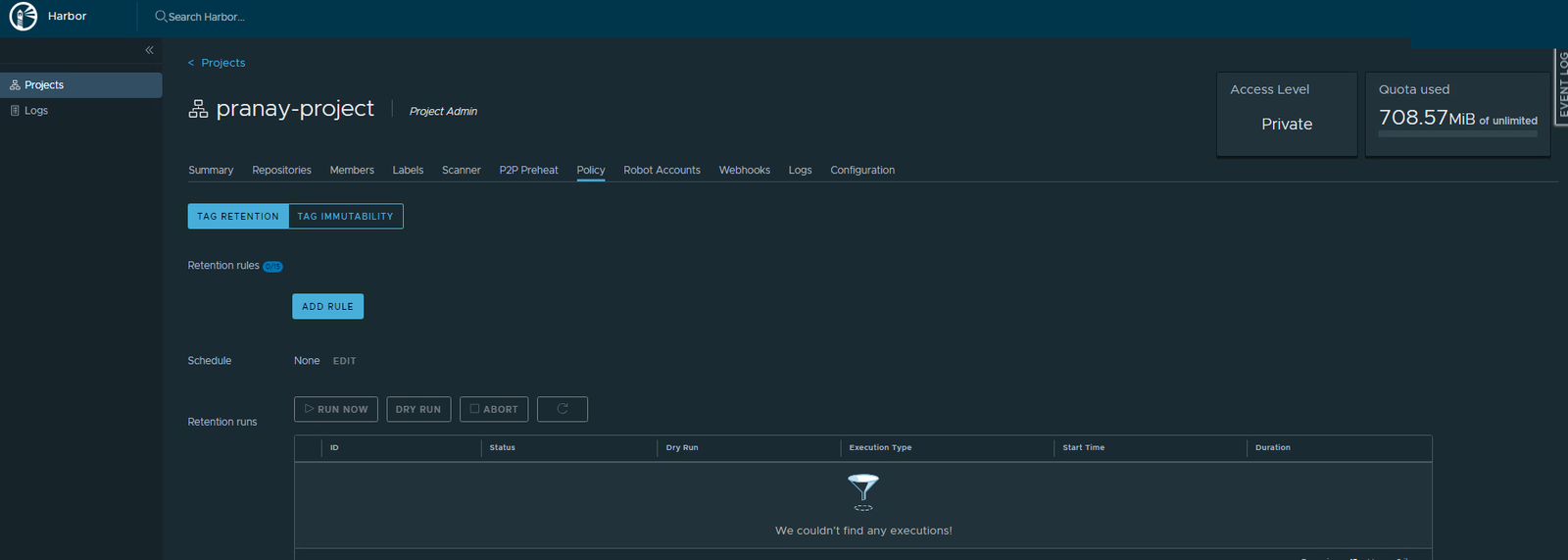
- Click Add Rule.
- In the dialog, leave For the repositories on
matching **(every repo). For the rule itself, choose retain the most recently pushed # artifacts and set the count to 5. Leave Tags onmatching **. Click Add.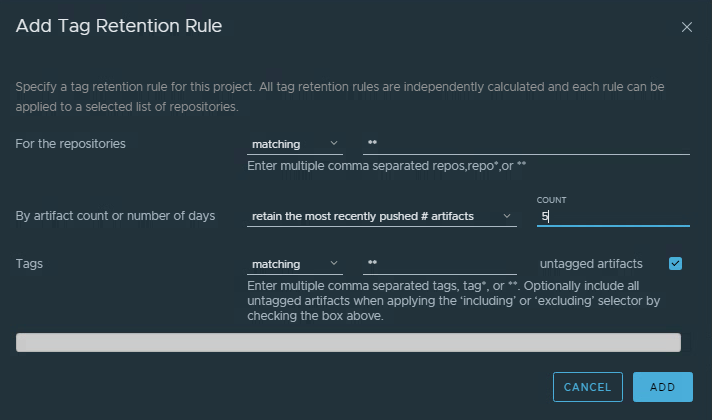
The rule: keep the 5 most recently pushed versions in every repository. - Your rule now shows in plain English at the top of the tab.
Always dry run first
Never let a retention rule loose without previewing it. Click Dry Run. It calculates exactly what it would delete and deletes nothing. When the run finishes with Success, you can trust the rule.
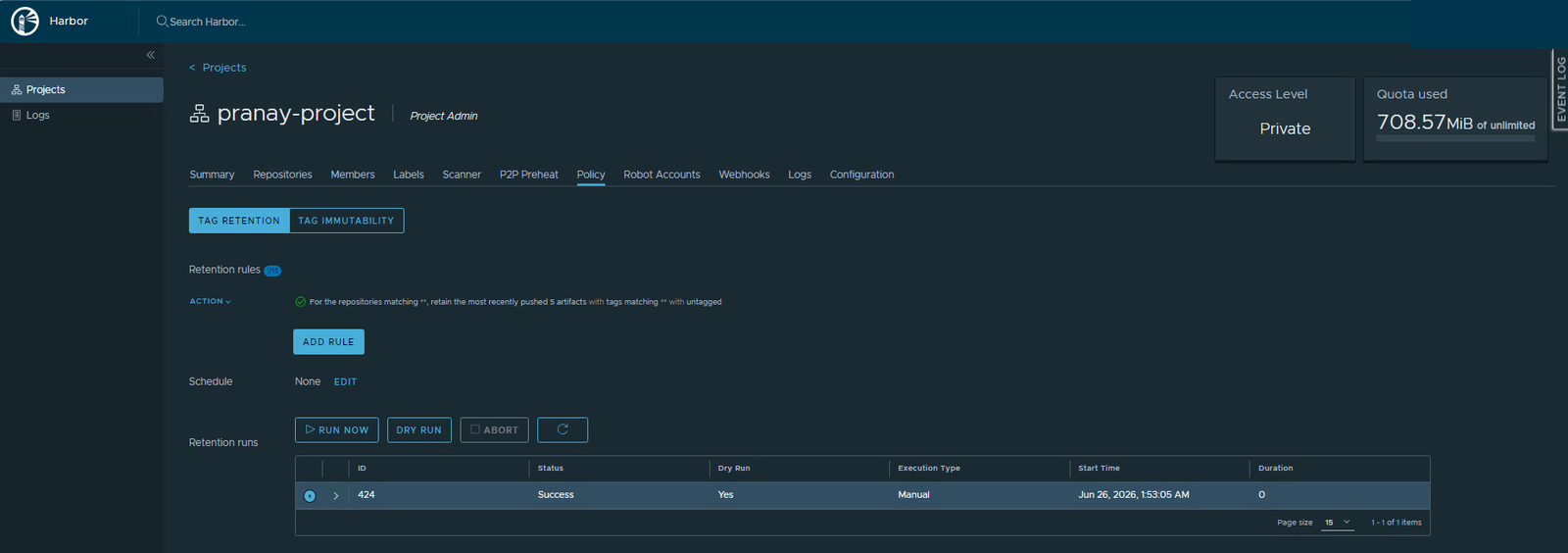
With only a version or two in your project, a keep-5 rule has nothing to remove yet, so the dry run reports no deletions. That is correct. Retention only starts trimming once a repository holds more versions than the number you set.
Run it on a schedule
A rule you have to trigger by hand is easy to forget. Give it a schedule so it cleans up on its own.
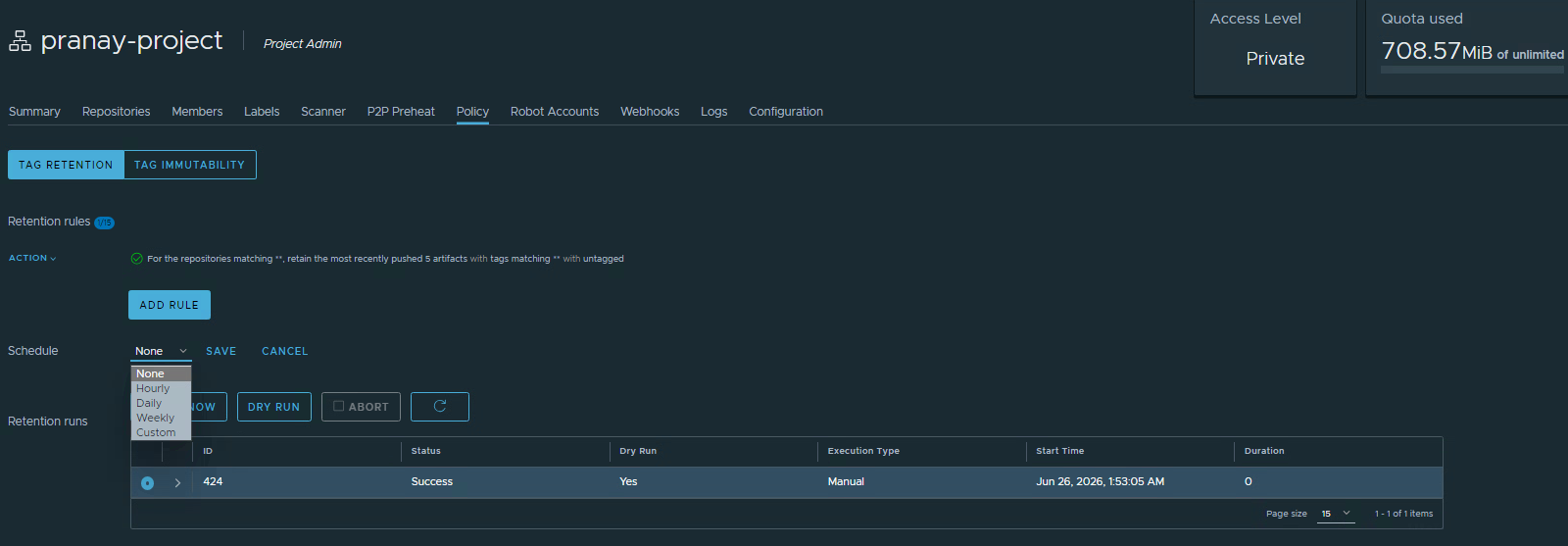
- Next to Schedule, click Edit.
- Pick a cadence from the dropdown, Daily is a sensible default. There is also Hourly, Weekly, or a Custom schedule.
- Click Save.
Lock tags with immutability
Retention removes old versions. Immutability does the opposite job, it protects the versions that must never change. Switch to the Tag Immutability tab.
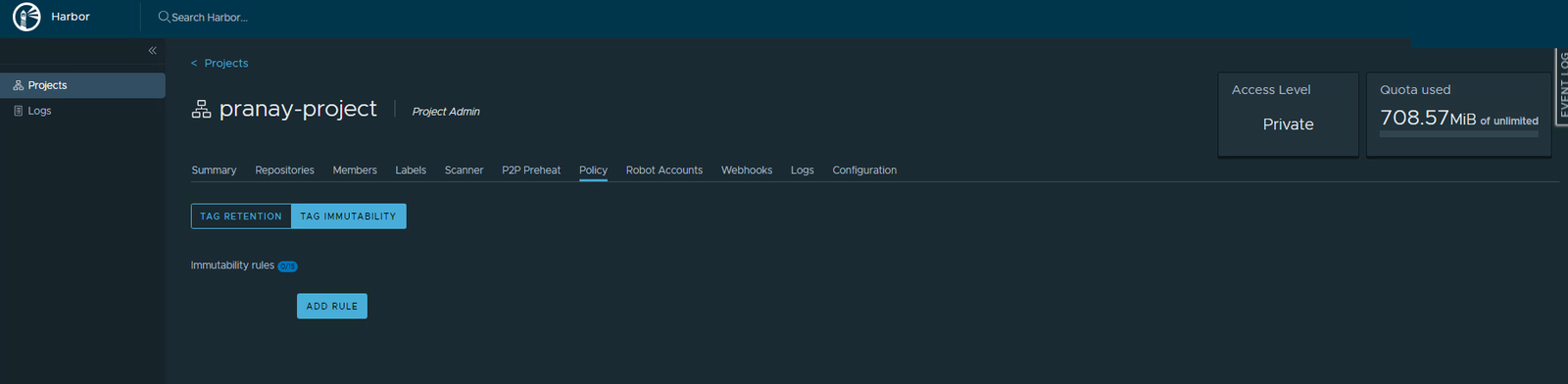
- Click Add Rule.
- Leave For the repositories on
matching **. For Tags, choosematchingand enter a pattern likev*so every tag that starts with v is protected. Click Add.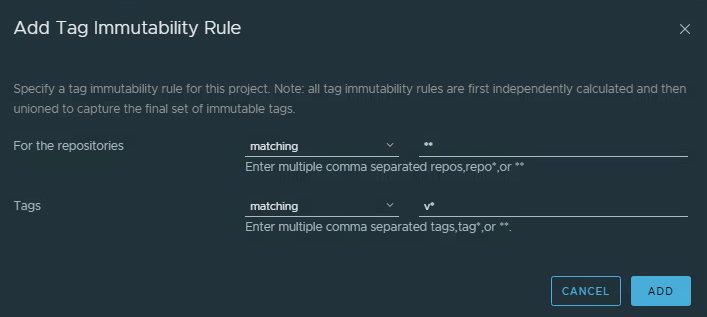
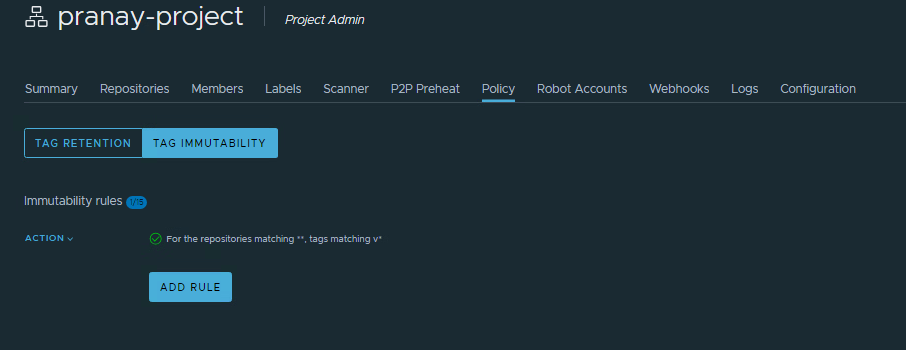
Lock every tag matching v*, across all repositories. - The rule appears, and your
v1andv2tags are now frozen.
What immutability blocks
Once a tag is immutable, Harbor refuses two things on it: overwriting it with a different image, and deleting it. If you try to push a new image over hello-world:v1 now, the push is rejected with a message that the tag is immutable. That is exactly what you want for a released version, so nobody can quietly swap out what v1 means after the fact.
Quick recap
- Both rules live on the project’s Policy tab.
- Retention keeps the most recent versions and clears out the rest. Always dry run first, then put it on a schedule.
- Immutability locks chosen tags so they cannot be overwritten or deleted.
- Use retention to stay tidy and immutability to protect your releases.
Next part
Part 10: storage and quotas. We look at how much space the project is using and how a quota keeps any one project from filling the whole registry.
Harbor for Beginners, Part 9 of 12. Product names belong to their owners.
About The Author








 DrJha
DrJha