

In Part 3 you pushed an image and it showed up in your project. Three words got thrown around on that screen, repository, artifact, and tag, and they are easy to mix up. This part clears them up the best way there is: by doing something small and watching what happens. We will add a second tag to the image you already have and see how Harbor shows it.
Three words: repository, artifact, tag
Here is the whole vocabulary, with your own project as the example.
| Word | What it really is | In your project |
|---|---|---|
| Repository | A named shelf that holds one image and all its versions. | hello-world |
| Artifact | The actual image content, identified by a long sha256 digest. This is the real thing. | the item tagged v1 |
| Tag | A friendly label stuck on an artifact. You read and type tags; the digest is what they point to. | v1, and soon v2 |
The one idea to hold onto: a tag is just a sticky note. The artifact is the box it is stuck to. You can put several sticky notes on the same box.
Look at what you pushed
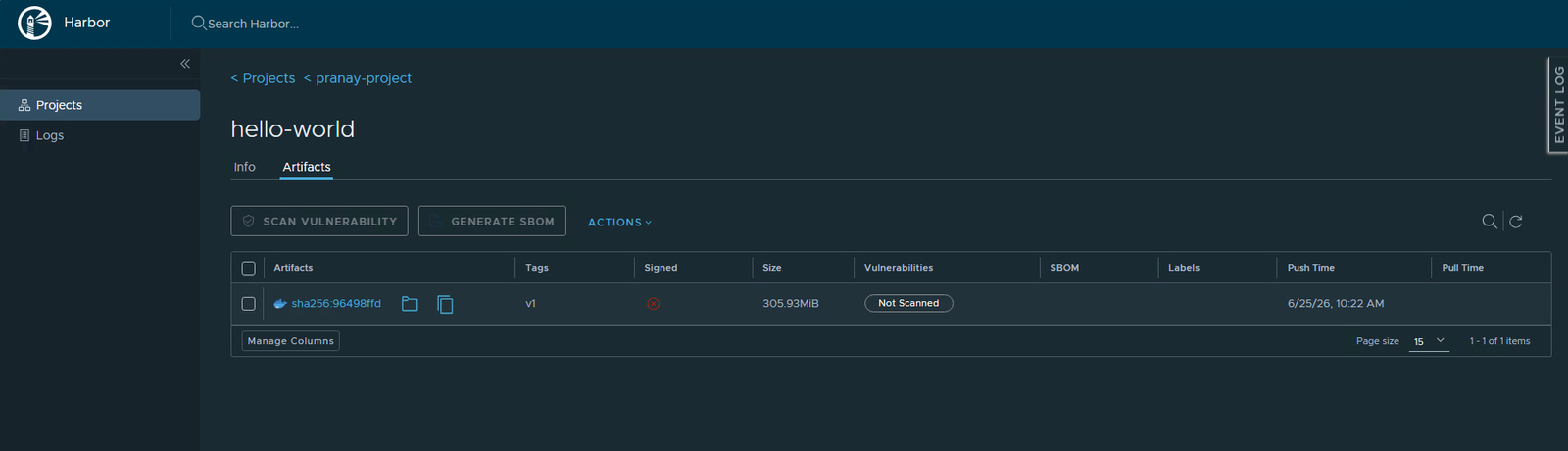
Open your project, click into hello-world, and look at the artifact row. It has one tag, v1, a size, and that long sha256 digest. The digest is the artifact’s true name. The tag is just the label you gave it.
Add a second tag
Back in the Jupyter terminal (run the crane auth login again if it is a fresh terminal), stick a second label on the very same image. This uploads nothing new, it just adds a pointer.
./crane tag registry.lab.internal/pranay-project/hello-world:v1 v2 --insecureThat command says: take the image currently tagged v1 and also call it v2. Same bytes, new label.
One image, two tags
Refresh the artifact view in Harbor. The same row now shows two tags, v2, v1, and they sit on the same digest. Look at the bottom of the table: it still says 1 of 1 items. You did not add a second image. You added a second name for the one image you already had. That is the whole point of tags.
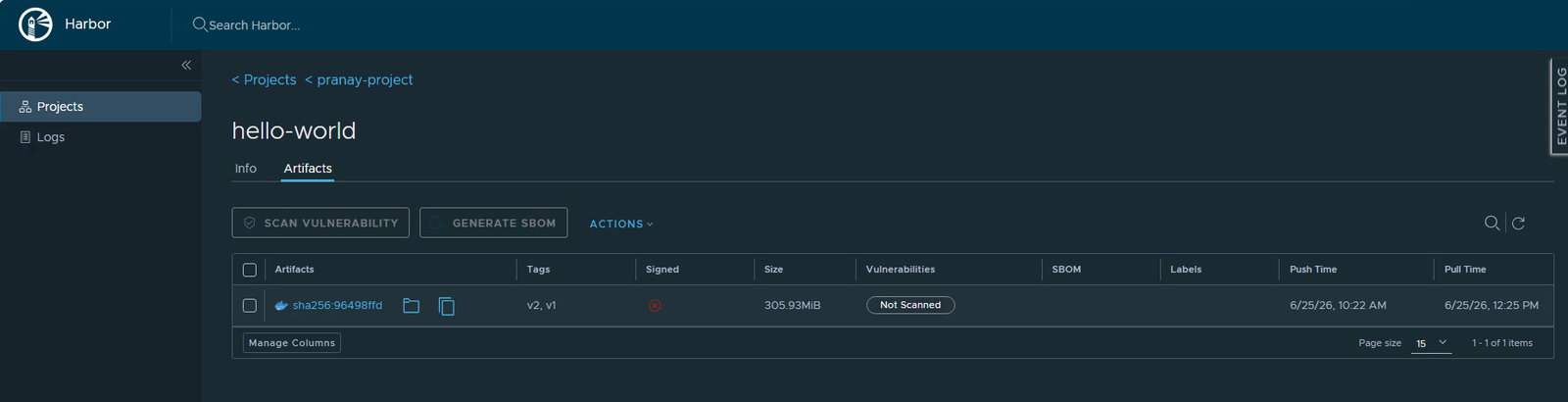
This is why people say tags are cheap and digests are forever. You can move a tag like latest from one image to another whenever you want. The digest never changes, because it is calculated from the content itself. If two images have the same digest, they are byte-for-byte identical.
Pull by tag, or pull by digest
Harbor will hand you the exact command to fetch an image. Click the small copy icon next to the artifact and it drops a pull command onto your clipboard. Notice that the one Harbor gives you uses the @sha256:... digest, not a tag.
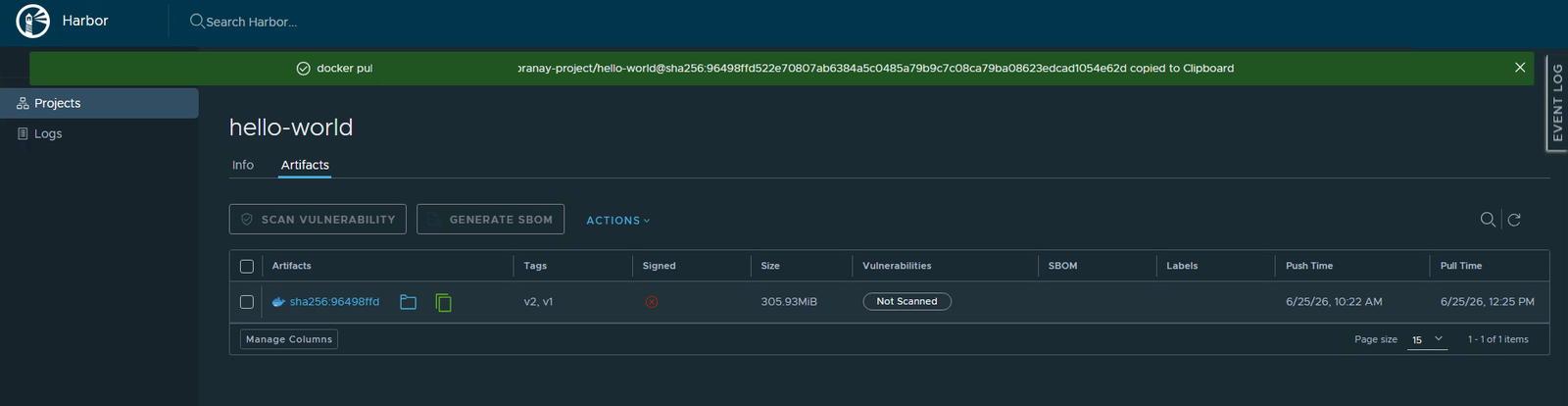
Both styles work. Pulling hello-world:v1 is friendly and readable. Pulling hello-world@sha256:... is exact and can never point at the wrong thing, even if someone moves the tag later. Tags for humans, digests for machines and anything that has to be certain.
What to remember
- A repository holds one image and all its versions.
- An artifact is the real content, named by its digest.
- A tag is a label pointing at an artifact, and many tags can point at one.
- Use tags when you want something readable, and digests when you want something that cannot change underneath you.
Next part
Part 5: security. We turn on the scanner, run it against this image, and read the vulnerability report, finally clearing that Not Scanned label.
Harbor for Beginners, Part 4 of 12. Product names belong to their owners. The host shown is a stand-in, not a real value.
About The Author








 DrJha
DrJha