

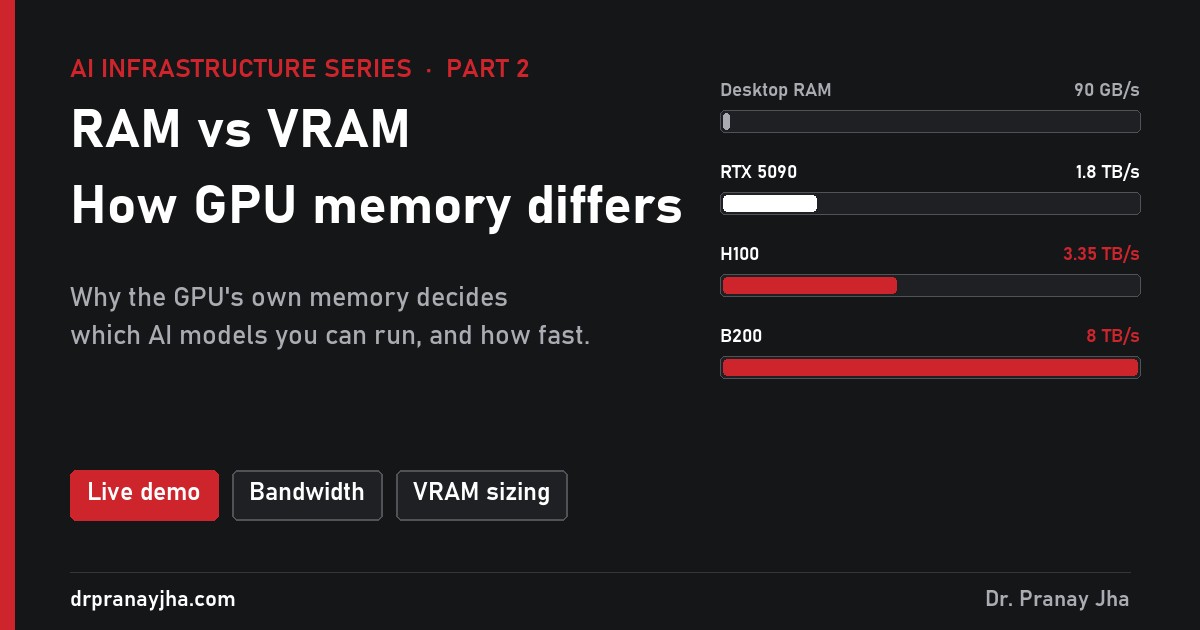
AI Infrastructure series · Part 2 of 24
Your computer has two kinds of memory. RAM belongs to the CPU and holds your programs. VRAM sits on the graphics card and belongs to the GPU. For most everyday work the difference hardly matters. For AI it decides almost everything: which models you can run, and how fast they answer.
Pick a computer, from a gaming laptop to an H200 server, and a model from 3B to 70B. See whether it fits in VRAM or spills into RAM, and how many words a second it can write. Then race eight kinds of memory against each other.
What is RAM, and what is VRAM?
Both are fast, temporary memory that loses its contents when the power goes off. The difference is who uses them and how they are built.
Used by the CPU. Holds the operating system, open programs and their data.
- Plugged into the motherboard as removable sticks
- Large: 16 to 128 GB in a PC, up to several TB in a server
- Cheap per GB, and you can add more
- Moderate speed: about 90 GB/s in a desktop
Used by the GPU. Holds whatever the GPU is working on: game textures, or the weights of an AI model.
- Fixed to the graphics card or the GPU package itself
- Small: 8 to 32 GB on a consumer card, 80 to 192 GB on a data centre GPU
- Expensive, and you cannot add more
- Very fast: 1 to 8 TB/s
The “V” stands for video, because GPUs were first built to draw graphics. The name stuck even though most VRAM in data centres now holds AI models, not pictures.
Why does a GPU need its own memory?
A GPU has thousands of small cores working at once (part 1 explains why). All of them need data at the same moment. If they had to fetch it from system RAM, they would spend most of their time waiting. So the GPU keeps its own memory right next to it, connected by a much wider road.
Each processor has its own memory. The road between the GPU and its VRAM is about 37 times wider than the one between the CPU and RAM, and about 50 times wider than the PCIe link between CPU and GPU.
The wide road is the whole point. An H100 reads its VRAM through a 5,120-bit bus. A desktop CPU reads RAM through two 64-bit channels. The GPU is not just a faster calculator; it is fed by a far faster memory system.
How much faster is VRAM?
Memory speed is measured as bandwidth: how many gigabytes it can deliver each second. These are published peak figures for common hardware.
There are three families of memory in that list:
- DDR is ordinary system RAM. It is built for large capacity and low cost.
- GDDR is the VRAM on gaming and workstation cards. The chips are soldered around the GPU on the card, with a wider and faster connection than DDR.
- HBM (high bandwidth memory) is the VRAM on data centre GPUs. The memory is stacked in layers and placed on the same package as the GPU chip, so the connection is extremely short and extremely wide. It is the fastest and the most expensive.
Why does AI care so much about memory speed?
When a language model writes an answer, it produces one word piece (a token) at a time. For every single token, it has to read all of its weights from memory. A model with 8 billion weights stored at 16-bit precision (2 bytes each) is 16 GB, so every token means moving 16 GB from memory to the cores.
That makes memory bandwidth the speed limit for writing answers, not the number of cores. A rough upper limit is bandwidth divided by model size:
The same model, on memory 37 times faster, writes about 37 times faster. Real software reaches perhaps 60 to 80% of these limits, but the ratio holds. This is why a model that fits in VRAM feels instant, and the same model running from RAM feels like watching someone type with one finger.
Why is VRAM so small and expensive?
Speed and size pull against each other. To be fast, memory has to sit very close to the chip and connect through thousands of wires. There is only so much room right next to a GPU, so there is only room for so much memory.
- HBM has to fit on the GPU package itself. An H100 has room for 80 GB, an H200 for 141 GB. Making it means stacking memory chips and bonding them to the GPU, which is slow and costly to manufacture.
- GDDR has to fit on the graphics card around the GPU, which limits consumer cards to roughly 8 to 32 GB.
- DDR sits in slots further away on the motherboard. It is much slower, but a server can hold several terabytes of it.
The practical result: you can always buy more RAM, but VRAM is fixed when you buy the GPU. That makes the amount of VRAM one of the most important numbers when choosing hardware for AI.
What is stored in VRAM while a model runs?
The model’s weights are the biggest item, but not the only one. For an 8B model in 16-bit precision on a 24 GB card, the VRAM looks roughly like this:
The KV cache grows with the length of the conversation and with the number of users served at once. On a busy server it can need as much VRAM as the weights themselves. Part 14 of this series works out exactly how much.
What happens when a model does not fit in VRAM?
You have four options, and they are very different in speed.
Use a smaller model
An 8B model instead of a 70B one. Fastest and simplest, but the answers are usually less capable.
Store the weights in fewer bytes
Quantization stores each weight in 8 or 4 bits instead of 16, so a 70B model drops from about 140 GB to about 40 GB. Quality falls a little, often barely noticeably. Part 18 covers this.
Spread the model over several GPUs
Two or more GPUs each hold part of the model and work together. This is how data centres run large models. Part 5 explains how.
Leave part of the model in system RAM
Tools such as llama.cpp and Ollama can keep the layers that do not fit in RAM and run them on the CPU. The model works, but the slow part sets the speed. With three quarters of a model in RAM, an RTX 4090 that wrote 47 words a second drops to about 1 or 2.
Option 4 surprises people the most. A powerful GPU does not help much if most of the model lives in slow memory, because the GPU spends its time waiting. Try it in the demo: a 32B model on the desktop PC.
What about Apple Macs and unified memory?
Apple’s M-series chips do not have separate RAM and VRAM. The CPU and GPU share one pool, called unified memory. An M4 Max can have 128 GB of it at 546 GB/s.
That gives Macs an unusual position for running AI at home. The pool is much larger than any consumer graphics card, so a Mac can load a 70B model that no single RTX card can hold. But the bandwidth is lower than a high-end card, so the same model writes more slowly than it would on a GPU with enough VRAM. By default, macOS lets the GPU use only part of the pool, roughly three quarters on large-memory models, and the limit can be raised.
Data centre hardware is moving the same way. NVIDIA’s Grace Hopper and Grace Blackwell systems connect CPU memory and GPU memory far more closely than PCIe does, so a GPU can reach the CPU’s large memory at much higher speed.
How much RAM and VRAM do you need for AI?
For running models (inference), a few rules cover most cases:
- VRAM: enough for the weights plus room for the KV cache. A rough start is model size in billions × bytes per weight, plus 20 to 30% for a single user, and more for many users. Part 20 turns this into a full sizing method.
- RAM: at least as much as your total VRAM, because the model passes through RAM while it loads. Data centre GPU servers usually have more RAM than VRAM, often several times more.
- Bandwidth: if answers must be fast, compare memory bandwidth, not just capacity. Two GPUs with the same VRAM can differ several times in speed.
- Does the model you want, at the precision you want, fit in VRAM with 20% to spare?
- How many users will it serve at once? Each one needs extra VRAM for the KV cache.
- What memory bandwidth does the GPU have? That sets the speed of every answer.
- Is there at least as much system RAM as VRAM?
- If the model is too big, which option fits: a smaller model, quantization, more GPUs, or a slower RAM split?
Bandwidth figures are each product’s published peak. Words-per-second figures are upper limits set by memory bandwidth for a single user, assuming about 0.75 words per token; real throughput is lower.
About The Author








 DrJha