

NVIDIA AI factory stack · Part 3 of 4
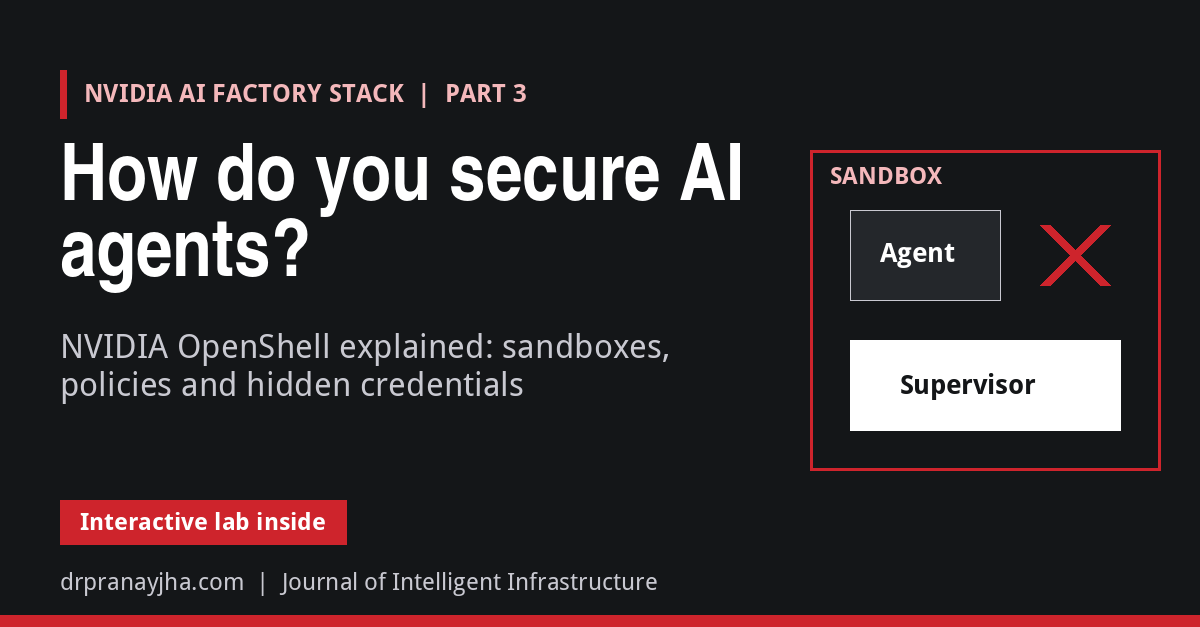
NVIDIA launched OpenShell at GTC in March 2026, and on 21 October at GTC Berlin it published a reference architecture for running it across whole AI factories. An AI agent is useful precisely because it can read files, install packages, call APIs and use credentials. That is also what makes it dangerous: one poisoned web page or malicious README can talk an agent into uploading your SSH keys. NVIDIA OpenShell is an open-source runtime that puts every agent in a sandbox and checks every file access, system call and network connection against a policy the agent cannot change. This part explains how OpenShell is built, how a request leaves the sandbox, how agents ask for more access without being able to grant it to themselves, and how it runs on a laptop, on Kubernetes and on NVIDIA’s reference hardware.
Think of OpenShell as airport security for AI agents: the agent can carry anything, but every exit is checked against a list, and the keys stay with the guards, never with the passenger.
- 16 March 2026, GTC San Jose: OpenShell launched as part of NVIDIA’s Agent Toolkit, together with NemoClaw.
- 21 October 2026, GTC Berlin: the OpenShell Reference Architecture, with security vendors such as CrowdStrike, Palo Alto Networks and Zscaler integrating support.
- Early 2027 (planned): NVIDIA’s Sentry monitoring on BlueField-4, the optional hardware layer, according to NVIDIA’s deep dive.
- Now: 0.1.x releases, running on Linux, macOS, Windows (WSL 2, experimental) and Kubernetes.
Toggle sandbox rules, fire agent actions such as “upload my SSH keys” or “open a GitHub issue”, and watch the supervisor allow or block each one and swap in credentials. Then review the agent’s policy proposals against the prover’s findings.
The problemWhy can’t an agent be trusted to follow its own rules?
The usual first attempt at agent safety is instructions in the system prompt: “never send files outside the company”, “only call these APIs”. Those rules live inside the same model that reads untrusted content. A prompt injection hidden in a document, an issue comment or a tool result can override them, and an agent that changes its plan as it works may simply decide a rule does not apply. NVIDIA’s reference architecture states the principle bluntly: an agent cannot govern itself. The controls have to sit outside the agent, in infrastructure it cannot edit.
Figure 1. The core idea. Prompt-level rules live inside the component being attacked. OpenShell’s rules are enforced by the kernel and a separate supervisor process, so a hijacked agent can try anything but can only do what the policy allows.
OpenShell was announced at GTC in March 2026 as part of NVIDIA’s Agent Toolkit, and it is now on a stable 0.1.x release cadence under the Apache 2.0 licence. It combines two mechanisms: kernel-level enforcement of every file access, system call and network connection while the agent runs, and formal verification of what a policy change would allow before anyone approves it.
ArchitectureWhat are the parts of OpenShell?
Figure 2. OpenShell’s pieces. The sandbox shares the boundary with the untrusted agent, so it never decides anything: it reports what the agent is trying to do. The supervisor on the trusted side decides. The only path out of the sandbox is one authenticated connection to the supervisor.
| Component | What it does |
|---|---|
| Gateway | The control plane. Authenticates users, keeps sandbox records, delivers policy and settings, attaches providers and decides who can do what. Runs the policy prover. |
| Supervisor | Lives outside the agent’s boundary. Checks each request against policy, adds credentials where allowed, resolves DNS and opens the real connection. |
| Sandbox | Lives inside the boundary with the agent. Launches the agent as a child process, identifies which program made each request from trusted /proc data, and hands every TCP and DNS call to the supervisor. |
| Policy prover | Uses an SMT solver to check what a policy allows, before it is applied. |
| Providers | Named credentials (an NVIDIA API key, a GitHub token) that only reach the endpoints their profile allows. |
| Compute runtime | Creates the sandbox and supervisor, wires the private channel and builds the network fence, using Docker, Podman, Kubernetes or a VM. |
The design fails closed. The sandbox holds the agent’s launch until the supervisor confirms the boundary is in place, and freezes the agent if the connection to the supervisor drops.
Under the hoodWhat happens when an agent calls an API?
Follow one request: an agent uses curl to call the GitHub API with a token. The agent’s environment contains a placeholder, not the real token.
Figure 3. A request’s journey. The sandbox identifies the real program behind each request, so a rule can say “curl may read this API” and a different binary making the same call is refused. Credentials are swapped in on the trusted side, never handed to the agent.
That is the whole trick behind “agents never see real credentials”. It also means a policy can be very precise. This rule, taken from OpenShell’s documentation, lets only curl read from the GitHub API and nothing else:
network_policies:
  github_readonly:
    endpoints:
      - host: api.github.com
        port: 443
        protocol: rest
        enforcement: enforce
        access: read-only        # GET-style requests only
    binaries:
      - path: /usr/bin/curl
A full policy file has up to five sections, enforced at different layers and at different times:
| Section | Controls | Enforced by | Can change while running? |
|---|---|---|---|
| filesystem_policy | Paths processes may read, or read and write | Landlock in the Linux kernel | No, set at startup |
| landlock | Whether the sandbox may start if Landlock rules cannot be applied | Sandbox runtime | No |
| process | User and group the agent runs as | The container runtime | No |
| network_policies | Which binary may reach which host, port, method and path | Sandbox network proxy | Yes, live |
| network_middlewares | Extra inspection, rewriting or blocking of allowed traffic | Sandbox network proxy | Yes, live |
Everything not allowed is denied. A sandbox started without a policy gets OpenShell’s restrictive default, and a gateway administrator can set a global policy that overrides every sandbox’s own.
Changing policy safelyHow does an agent get more access?
Strict policies have a cost: the agent hits a wall and the task stops. OpenShell’s answer is the policy advisor. When a request is blocked, the agent can propose the rule it needs, but a proposal never changes the policy on its own.
Figure 4. The policy advisor loop. Proposals can only add network rules, never remove rules or touch filesystem and process settings. Any prover finding blocks automatic approval, so risky changes always wait for a person.
The policy prover is the interesting part. It encodes policies for an SMT solver and checks properties mathematically rather than by pattern matching. It runs two kinds of check. A proposal risk check runs automatically on every proposal and flags new risk compared with the current policy, such as sending a credential to a new host or reaching a cloud metadata address. A boundary check proves a policy grants nothing beyond a maximum policy you define, and if it does, shows a concrete example. A parent agent can use it to prove that the policy it writes for a subagent stays inside its own limits.
# does candidate.yaml allow anything beyond our company maximum?
openshell-prover check candidate.yaml --boundary boundary.yaml

# review what agents have asked for
openshell rule get my-sandbox --status pending
openshell rule approve my-sandbox --chunk-id <proposal-id>Hands onHow do you try OpenShell?
OpenShell runs on Linux, on macOS with Apple Silicon, and experimentally on Windows with WSL 2, with Docker, Podman or host virtualisation. The installer sets up the CLI and a local gateway:
curl -LsSf https://raw.githubusercontent.com/NVIDIA/OpenShell/main/install.sh | sh

# a minimal Ubuntu sandbox with no agent inside
openshell sandbox create --name demo

# store a credential once; sandboxes only ever see a placeholder
openshell provider create --name my-nvidia --type nvidia --credential NVIDIA_API_KEY

# start a sandbox with your own policy, then inspect and change it live
openshell sandbox create --name agent1 --policy ./policy.yaml
openshell policy get agent1 --full
openshell policy set agent1 --policy policy.yaml --wait
openshell logs agent1 --since 10m
The docs’ “Run Your First Agent” tutorial runs OpenCode inside a sandbox against a free model endpoint, and you can launch coding agents such as Claude Code directly with openshell sandbox create -- claude. SDKs exist for Python, TypeScript, Go and Rust, and npx skills add NVIDIA/OpenShell teaches your own coding agent to write OpenShell policies.
Where it runsDoes OpenShell run on Kubernetes?
Yes. Each runtime builds the same boundary with its own native tools, so the security model does not change when you move from a laptop to a cluster:
| Runtime | Supervisor runs in | Channel to the sandbox | How direct egress is blocked |
|---|---|---|---|
| Docker / Podman | Its own container | Authenticated Unix socket | Workload container has networking turned off |
| Kubernetes | Its own pod | Private Service with mutual TLS | NetworkPolicy allows only the supervisor |
| VM (microVM) | A process on the host | Authenticated vsock | Guest has no network device |
On Kubernetes, the gateway is installed with a Helm chart and uses the Kubernetes SIG agent-sandbox resources. Each sandbox becomes separate supervisor and workload pods, a boundary Service, a NetworkPolicy and a workspace volume. Red Hat OpenShift has its own guide, and you can point sandboxes at GPU node pools or at Kata Containers for VM-level isolation.
helm upgrade --install openshell
  oci://ghcr.io/nvidia/openshell/helm-chart
--version <version> --namespace openshellAt scaleWhat does NVIDIA’s reference architecture add?
The software above runs anywhere. NVIDIA’s OpenShell Reference Architecture describes how to run thousands of sandboxed agents in an AI factory, and adds an optional hardware layer that does not depend on the host at all:
Figure 5. The reference design. OpenShell runs on Vera CPUs, models run on Vera Rubin GPUs, and BlueField-4 with Sentry can enforce policy in silicon. If Sentry sees a violation, it can quarantine the agent within milliseconds.
The performance claims are vendor numbers and should be treated as such. NVIDIA describes Vera as 88 Olympus cores with up to 1.2 TB/s of memory bandwidth and claims twice the performance per watt of x86. CoreWeave reported more than 3x faster sandbox start-up, 1.8x faster agent loops across 20 agentic tasks, and over 11,000 concurrent agent environments per rack compared with a leading x86 CPU. None of the hardware is required to use OpenShell.
Reality checkWhat should you watch out for?
DecisionShould you use OpenShell?
Quick answers
Do I need NVIDIA GPUs or Vera hardware?
No. OpenShell is a software runtime for Linux, macOS and Windows. GPUs are optional for sandboxes that need them; Vera, Vera Rubin and BlueField-4 belong to the at-scale reference architecture.
Is this the same as running the agent in a container?
No. A plain container gives the agent a network. OpenShell turns the workload’s networking off, adds kernel-level file and system-call controls, checks every connection per binary and per API path, and keeps credentials outside the boundary.
How does it relate to NemoClaw?
NemoClaw is NVIDIA’s one-command stack for always-on assistants, combining Nemotron models with the OpenShell runtime. OpenShell is the security layer underneath it.
Can it hook into my identity and audit systems?
Yes. Supervisor middleware can inspect, block or rewrite allowed traffic, gateway interceptors add governance to control-plane operations, and the gateway authenticates users through OIDC. Agent traces can be relayed to your OpenTelemetry collector.
- Write down, per agent, which hosts, API paths and binaries it really needs. Start from deny-all.
- Put every secret in a provider; never pass real keys as sandbox environment variables.
- Write a company boundary policy and run
openshell-prover checkon every policy in CI. - Enable the policy advisor with human approval; review pending rules daily at first.
- On Kubernetes, prove your CNI enforces egress NetworkPolicy before installing.
- Send logs and agent traces to your existing monitoring.
Sources: OpenShell repository and documentation (github.com/NVIDIA/OpenShell), including the README, Architecture, Sandbox Policies, Network Rules, Policy Prover, Policy Advisor, Providers, Inference and Kubernetes Setup pages, read at commit af8182f (6 November 2026; latest tags 0.1.8 pre-releases). NVIDIA Technical Blog, “How NVIDIA OpenShell Reference Architecture Secures and Governs AI Agent Workloads at Scale”. GTC 2026 Agent Toolkit coverage (Campus Technology, March 2026). Vera and CoreWeave performance figures are as reported by NVIDIA and CoreWeave and have not been independently verified.
About The Author



 DrJha