

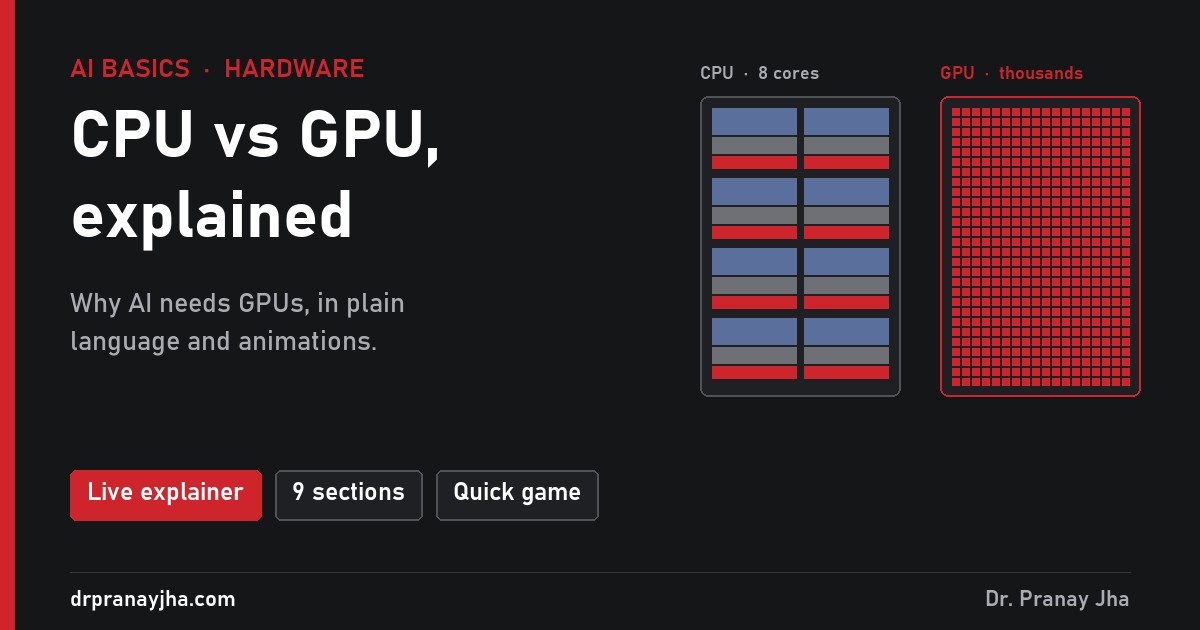
AI basics · Hardware · For non-engineers
A friend asked me a string of questions I could not answer well on the spot. If my laptop runs Gmail, Outlook and Slack at the same time, is that not parallel processing too? Why does AI need a GPU? Can it run on a normal CPU? Why does a GPU use so much more power? This post answers each one in plain language, and the interactive explainer shows every answer as an animation, with the CPU on the left and the GPU on the right.
Nine short animated sections. Watch a few fast cores race thousands of small ones, see why a chatbot types slowly on a CPU, and test yourself on which chip suits which task.
Short answerA few fast cores against thousands of small ones
Both chips do calculations. They are built for different kinds of work.
8 to 24 cores in a desktop, up to about 192 in a large server. Each core is fast and clever: it can follow complicated instructions, make decisions and jump from task to task. It is built to finish one chain of steps as quickly as possible.
Thousands of small cores. An NVIDIA H100 has 16,896. Each one is simple and slower than a CPU core, but they all work at once on the same kind of calculation. It is built to finish as much total work as possible.
Think of painting a large picture. A CPU is like 16 skilled painters who can each paint anything. A GPU is like thousands of helpers who can each only fill in one square, but who all paint at the same moment. For a detailed portrait, the skilled painters win. For a wall of ten million identical squares, the crowd wins by a long way. Most of this post is about which kind of job AI is.
Why they are differentSame chip size, two different designs
A chip has a fixed amount of space and can use only so much power. Every part spent on one job is a part that cannot be used for another. CPU and GPU designers spend that space very differently, because they expect very different work.
Simplified floor plans, not to scale. A CPU gives most of its space to control and cache so a few cores never wait. A GPU gives most of its space to maths units.
The reason is the kind of work each one expects.
- Most programs are a chain. In normal software, step 2 needs the answer from step 1: check the password, then open the inbox, then load the first email. A chain cannot be split across many cores. The only way to finish it sooner is a faster core, so CPUs spend their space on predicting the next step and on large caches, so that a core rarely waits for memory.
- Graphics and AI are many separate pieces. Every pixel on a screen, and every block of numbers inside an AI model, can be worked out on its own. Here more cores beat faster cores, so GPUs fill the chip with simple maths units. Instead of big caches, a GPU keeps thousands of tasks ready and switches to another one while one waits for memory.
- One chip cannot be best at both. Make every core clever and only a few fit. Make cores simple and thousands fit, but each one is poor at decisions. So computers use both: the CPU runs the program and hands the heavy maths to the GPU.
Gmail, Outlook and SlackMany apps at once is a different kind of parallel
This was my friend’s best question. With ten apps open, the computer really is doing several things at the same time. So what is special about a GPU?
Two things are going on with your apps. First, a CPU with 8 or 16 cores can run that many tasks at the same instant. Second, the operating system switches each core between apps many times a second, so fast that everything looks simultaneous. Most of the time, those apps are not even busy. Gmail is waiting for the network, Slack is waiting for a message, and Outlook is waiting for you to click.
That is many different jobs sharing a few cores. A GPU does something else: it takes one large job, splits it into thousands of identical pieces and runs them all at once. Adding a million pairs of numbers is a good example. A 16-core CPU works through it 16 at a time. A GPU with thousands of cores does thousands at a time. The explainer has a toggle to watch both at real speed and slowed down.
Why AI needs GPUsAI repeats one small calculation billions of times
An AI model is a very large collection of numbers, called parameters. When a chatbot writes one word, it multiplies your input by almost all of those numbers and adds the results. That works out to roughly two calculations, one multiply and one add, for every parameter, for every word.
A model with 8 billion parameters therefore needs about 16 billion calculations to produce a single word. A reply of 300 words needs close to 5 trillion. Every one of those calculations is the same simple multiply-and-add, and most of them do not depend on each other. That is exactly the work a GPU was designed for. Training a model is far heavier still, because it repeats this over trillions of words of text, many times.
Can AI run on a CPU?Yes, but much slower
AI does run on a CPU. Small models run on ordinary laptops, especially when they are compressed so that each parameter takes less space (this is called quantization). The catch is speed, and the biggest reason is often not the cores at all. It is how fast the numbers can reach them.
To write each word, the chip has to read the whole model from memory. An 8-billion-parameter model stored at normal precision is about 16 GB. Here is how quickly each chip’s memory can deliver that:
Divide 90 GB per second by 16 GB per word and the CPU can produce at most about 5 words per second. The H100 can reach about 200. Those are upper limits from memory speed alone, before any other delay, but they show why a chatbot that feels instant on a GPU crawls on a laptop. Compressing the model to a quarter of the size helps the CPU a lot, which is why small, compressed models are the ones people run at home.
And the reverseWhy a GPU cannot run Windows
If GPUs are so fast, why not use one for everything? GPU cores work in groups, 32 at a time on NVIDIA chips, and every core in a group must run the same step at the same moment. When the code makes a decision (if this, do A, else do B) and the cores in a group need different paths, the group runs path A while the others wait, then runs path B while the first ones wait. Half the group sits idle on each pass.
Operating systems, web browsers and office apps are full of decisions like this. On a GPU, most cores would spend their time waiting. A CPU core follows each decision on its own, which is why it stays in charge of running the computer. The explainer has an animation of one 32-core group running with and without an if/else.
PowerMore power in total, less energy for each piece of work
A desktop CPU uses roughly 65 to 170 watts under load. One H100 can use up to 700 watts, and a server with 8 of them, plus its CPUs, memory and fans, draws around 10 kilowatts. So yes, GPUs use far more power. The reason is simple: thousands of cores are working at the same time, and each one needs electricity.
Look at energy per piece of work and the picture flips. For the large repeated maths that AI needs, a GPU finishes the job so much faster that it uses much less energy per answer than a CPU would. The bill per hour is higher, the bill per task is lower.
SummaryCPU vs GPU in one table
| CPU | GPU | |
|---|---|---|
| Cores | 8 to 24 in a desktop, up to about 192 in a server | Thousands (16,896 in an H100) |
| Each core | Fast, handles complex decisions | Simple, slower, works in lock-step groups |
| Built for | Finishing one chain of steps quickly | Finishing a huge amount of identical work |
| Memory speed | About 90 GB/s on a desktop | About 3,350 GB/s on an H100 |
| Power | About 65 to 170 W (desktop) | Up to 700 W (H100) |
| Good at | Operating systems, browsers, office apps, databases, game logic | Graphics, AI training and chatbots, video encoding, scientific simulation |
| AI on it | Works for small, compressed models | Needed for large models and for training |
One question decides most cases: can the work be split into many identical pieces that do not depend on each other? If yes, a GPU wins. If each step needs the last one’s answer, or the code is full of decisions, a CPU wins. The last section of the explainer is a short game with ten real tasks to sort.
Open the explainer to watch each idea in this post side by side, change the model size, and try the CPU-or-GPU game.
Figures: H100 SXM has 16,896 CUDA cores, about 80 billion transistors, up to 700 W and 3.35 TB/s of HBM3 memory bandwidth (NVIDIA). Desktop memory speed assumes dual-channel DDR5-5600. The words-per-second figures are upper limits from memory speed only. If you want to go deeper into running GPUs, the GPU platform series covers monitoring, scheduling, cost and more on Kubernetes.
About The Author








 DrJha
DrJha